
Current App Store listing: Wind Chill, Snow Day Pro
App Store checked October 22, 2026. The current description and screenshots are shown in this section. The original article and images following this section are preserved as historical material.
About this app
You put care into the plans you make. Thank you for using Wind Chill to check the cold, choose a time to head out, and keep family or coworkers informed.
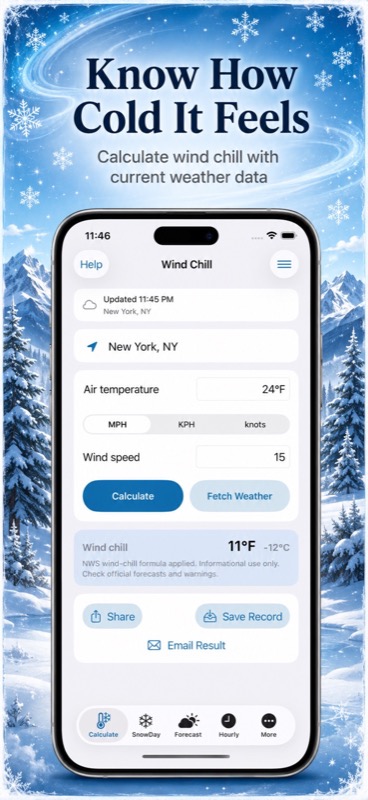
CHECK HOW COLD IT FEELS
See how a windy morning may feel before you head out.
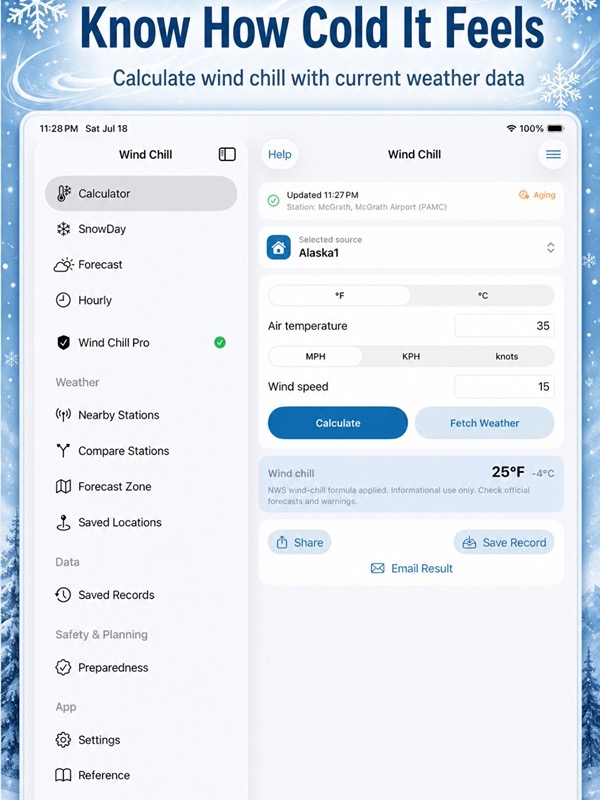
– Enter air temperature and wind speed.
– Choose Fahrenheit or Celsius.
– Use MPH, KPH, or knots for wind.
– See wind chill in both temperature units.
– Calculate offline as often as you need.
– Revisit your five most recent results.
LOOK AHEAD WITH U.S. WEATHER
Check NOAA and National Weather Service observations and forecasts.
– Fetch weather for Current Location or a saved place.
– Use saved coordinates without location permission.
– Check station conditions and observation times.
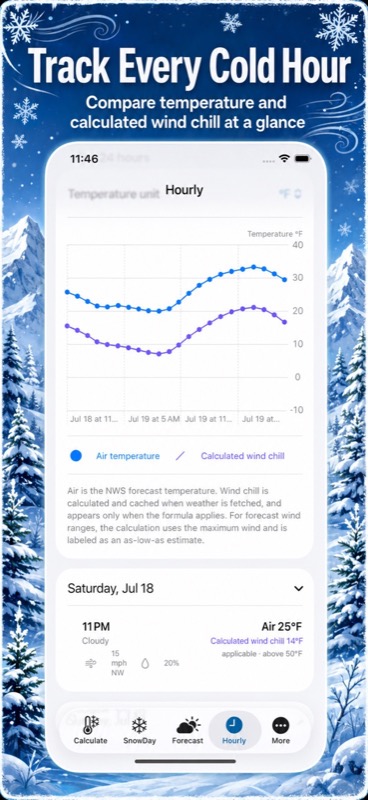
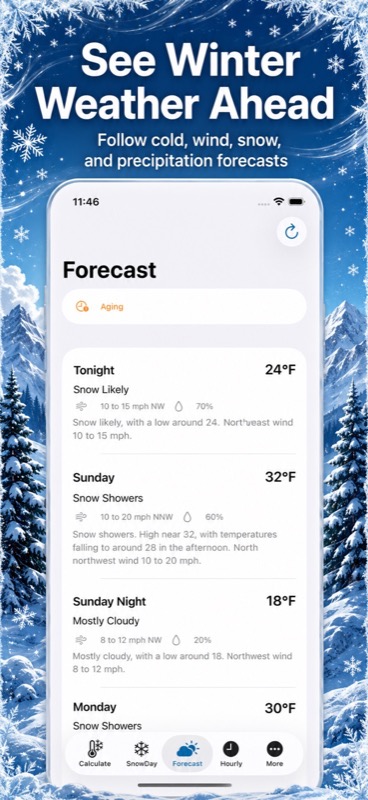
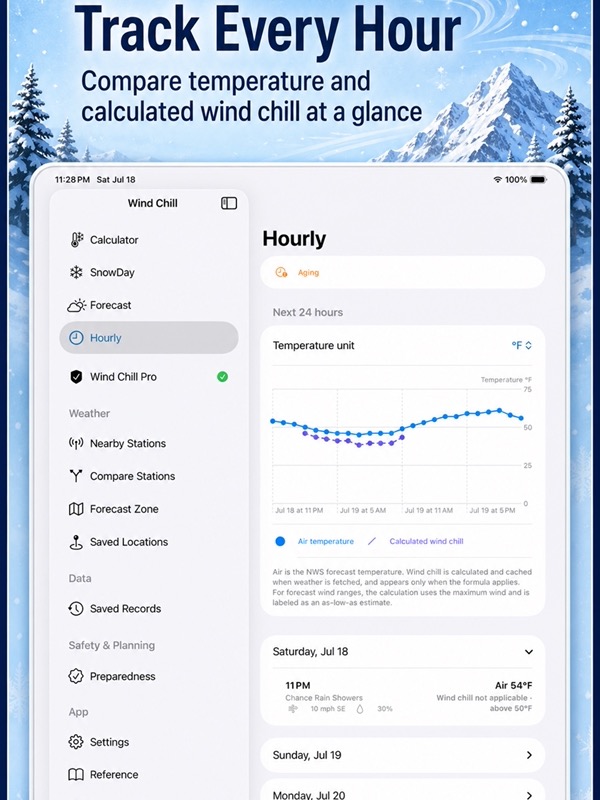
– Browse daily forecasts and hourly weather graphs.
– Compare temperature, wind chill, and sustained wind.
– See precipitation chances and unavailable readings.
PLAN AROUND YOUR SCHEDULE
Save the place and activity window that matter, such as a 7 to 8 a.m. school run.
– Keep home, school, work, and travel places handy.
– Choose one date or repeat on selected weekdays.
– Keep each plan in its saved time zone.
– Review temperature, wind chill, gusts, and precipitation.
– Add a note, duplicate a plan, or change its times.
– Open an existing activity to review its details.
COMPARE POSSIBLE TIMES
Decide when to head out using the weather conditions that matter to you.
– Compare windows of the same duration.
– Look for warmer hours or lower sustained wind.
– Compare the highest hourly precipitation chance.
– Set temperature, wind chill, wind, and gust limits.
– Leave a limit blank when it does not matter.
– See why a window meets your limits or cannot be assessed.
TAKE A CLOSER LOOK WITH SNOWDAY
Review winter conditions with snow, liquid precipitation, and planning estimates.
– See 24-hour and 48-hour estimates where forecasts support them.
– Keep small liquid amounts distinct from zero.
– Recognize missing information before comparing conditions.
– Read precipitation chance separately from precipitation amount.
– Review planning scores for schools, workplaces, and roads.
SnowDay offers planning estimates. Schools, employers, and road authorities make official decisions.
REMINDERS FOR YOUR ROUTINE
– Set a temperature or wind chill threshold.
– Choose Fahrenheit or Celsius and a reminder lead time.
– Use the weekdays and activity window saved in your plan.
– Read when the forecast was checked.
– Tap a reminder to open the relevant activity.
Reminders need notification permission and a recent forecast you have fetched. Refresh when you need new weather.
KEEP THE DETAILS CLOSE
– See your next activity in a Home Screen widget.
– Recognize older or unavailable weather.
– Share a winter-planning card as text or an image.
– Include its place, valid period, conditions, source, and checked time.
– Choose whether to include your note or exact coordinates.
– Save school-announcement and state road-condition links.
– Open section help beside the setting you are changing.
ON IPHONE, IPAD, AND APPLE WATCH
Use the offline Apple Watch calculator, keep records on your watch, and share individual records when you choose.
START FREE
Manual calculations are unlimited. Try five successful iPhone weather fetches per local calendar day for five consecutive days, starting with your first successful free fetch.
Monthly Pro or Lifetime Pro adds unlimited weather fetches, advanced forecasts, SnowDay, saved places, activity planning, reminders, cards, widgets, and record tools. Restore Purchases is available.
Weather can change or arrive late. Check current official forecasts, warnings, and local information before making decisions.
For monthly subscriptions:
Monthly Pro is a 1-month auto-renewable subscription.
Terms of Use (EULA): https://www.apple.com/legal/internet-services/itunes/dev/stdeula/
App Store Screenshots
Latest App Store Release Notes
You take the time to plan ahead, and the people around you benefit from that care. Thank you for using Wind Chill. This update makes winter plans easier to review, with help close to the options you use.
LESS SCROLLING, HELP CLOSE BY
– Find help beside activity times, weather limits, and reminders.
– Open an explanation when you need it, then return to your plan.
– Use more compact limit fields and weekday selections.
– Keep forecast values, checked times, and missing information visible.
– Use layouts that adapt when you prefer larger text.
PLAN FOR YOUR DEPARTURE OR ACTIVITY
– Save a school run, morning commute, outdoor shift, or practice.
– Name each new plan and choose a saved place.
– Set a start and end time, such as 7 to 8 a.m.
– Choose one date or repeat on selected weekdays.
– Keep activity times in the place’s saved time zone.
– Open an existing plan to see its details and expected conditions.
COMPARE HOURS BEFORE CHOOSING
Compare forecast windows of the same duration, using your own limits.
– Look for warmer periods or lower sustained wind.
– Compare the highest hourly precipitation chance.
– Set minimum temperature or wind chill limits.
– Choose maximum wind, gust, and precipitation chance limits.
– See which limits a window meets and what information is missing.
– Apply a chosen time without changing your selected weekdays.
CLEARER SNOWDAY ESTIMATES
– Keep small positive liquid amounts visible.
– Tell a reported zero apart from unavailable information.
– Read precipitation chance separately from liquid amount.
– Use forecast conditions for the period being assessed.
– See 24-hour and 48-hour estimates where the data supports them.
– Review school, workplace, and road-impact planning scores.
SnowDay estimates help you review conditions. Confirm official decisions with the responsible school, employer, or road authority.
COLD REMINDERS THAT FIT YOUR PLANS
– Choose temperature or wind chill as your reminder condition.
– Set your threshold in Fahrenheit or Celsius.
– Choose a lead time of up to 24 hours before an activity.
– Use the weekdays and time window saved with your plan.
– See when the forecast was checked in each reminder.
– Tap a reminder to return to its activity.
Reminders need notification permission and a recent forecast you have fetched. Refreshing the forecast or editing a plan updates the reminders that apply.
YOUR NEXT ACTIVITY AT A GLANCE
– Add a Home Screen widget for your next activity.
– See its place, valid period, and last forecast check.
– Recognize stale, missing, or expired weather information.
– Open the relevant plan from the widget.
– Keep newer station observations when a later fetch returns older data.
SHARE A SHORT WINTER UPDATE
– Preview a planning card before sharing text or an image.
– Include the place, valid time, conditions, source, and update time.
– Add a note for family, colleagues, or an outdoor group.
– Choose whether to share your note or exact coordinates.
– Keep the forecast shown in your preview when you share.
KEEP YOUR ROUTINE IN ORDER
– Weekly plans remain available after a skipped daylight-saving time.
– Get a clear message if a plan changes in another window.
– Protect newer edits and keep deleted plans from reappearing.
– Carry your chosen wind units between planning and the calculator.
– Save school-announcement and state road-condition links by place.
MANUAL CALCULATIONS STAY UNLIMITED
Your offline wind chill calculator remains free. The iPhone weather preview includes five successful fetches per local calendar day for five consecutive days from your first successful free fetch. Monthly Pro and Lifetime Pro include SnowDay and these planning tools.
App Store Information
- App Store category: Weather
- Genres: Weather, Travel
- Availability: Free
- Current version: 8.3
- Requires: iOS 17.6 or later
- Content rating: 4+
- Last updated: 2026-10-21
Developed by Verosocial. App details can change; verify the current App Store listing before publication.
Historical description


* Featured by Apple in ‘What’s Hot’ in the United States under iPad > Weather
The Wind Chill Index Factor displays automatic weather calculation based on iPhone/iPad localization features with available internet access. Just press the Fetch button.
This is a tool for measuring the perceived when outside by measuring the impact of wind on the temperature of the air. The wind chill factor can not lower a temperature below the current air temperature, but instead it speeds up the decrease in temperature proportional the speed of the wind
Both the Old model for calculating the Wind Chill Factor, pre-2001 formula, and the New Wind Chill Index devised by the National Weather Service in 2001 are used. The values are calculated to the second decimal place for extra accuracy.
Inputs for Air Temperature can be given as Fahrenheit or Celsius. Acceptable inputs for wind velocity are Knots, Miles per Hour, and Kilometers per Hour.
This app features:
• Send your calculations or conversion by email
• Universal App (iPhone, iPod Touch, and iPad)
• Retina Display graphics
• Fast app switching
• Automatically Saves Your Inputs
Note: Windchill Temperature is only defined for temperatures at or below 50 degrees F and wind speeds above 3 mph.
Historical note: education pricing mentioned on this page is no longer confirmed.