
Calculate milling speeds, feeds, chip load, bolt circles, and angles, then organize shop calculations, quotes, customers, and job records.
Product Description
Milling Calcs: CNC Shop Tools
Calculate milling speeds, feeds, chip load, bolt circles, and angles, then organize shop calculations, quotes, customers, and job records.
About this app
Thank you for using Milling Calcs. Your skill and attention to detail make good machining possible, and we appreciate a place in your working day. From a quick spindle speed check to a customer tool trial, keep the numbers and notes you need close at hand.
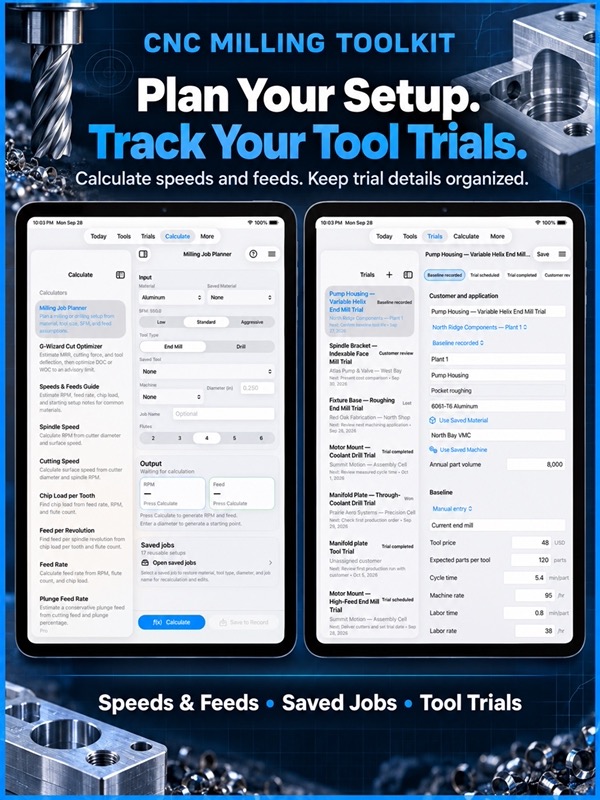
Milling Calcs brings CNC milling calculators, shop reference tables, job planning, and cutting-tool sales records together on iPhone and iPad. Use it at the machine, in the office, or during a customer visit.
CALCULATE YOUR NEXT CUT
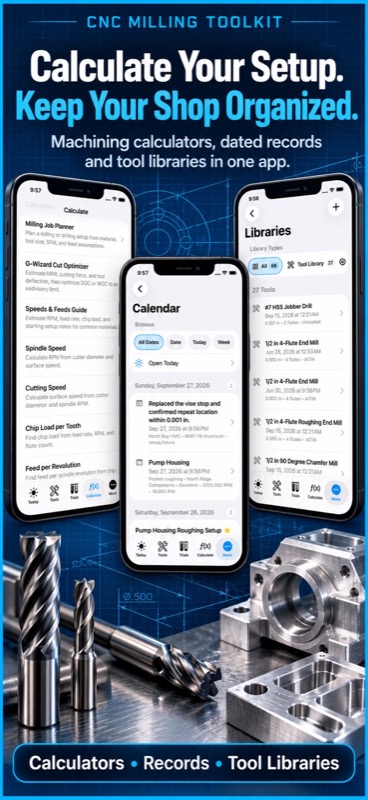
• Find spindle RPM, cutting speed, feed rate, and chip load per tooth.
• Calculate feed per revolution and estimate plunge feed.
• Work with Imperial and Metric inputs where supported.
• Plan milling jobs using material, cutter size, flute count, and cutting speed.
• Check material removal rate for a proposed cut.
• Estimate cutting force and tool deflection with the Cut Optimizer.
• Explore depth and width of cut against an advisory deflection limit.
• Share calculation results and return to saved milling jobs.
KEEP SHOP MATH WITHIN REACH
• Look up tap drills and work through thread engagement choices.
• Calculate true position, sine bar height, arc length, and chord length.
• Work out offsets, conduit bends, and shrinkage compensation.
• Convert common shop measurements.
• Browse drill sizes, pipe threads, material machinability, and tooling references.
• Find G-code and M-code reference information without opening a browser.
MAKE TOOL TRIALS EASIER TO EXPLAIN
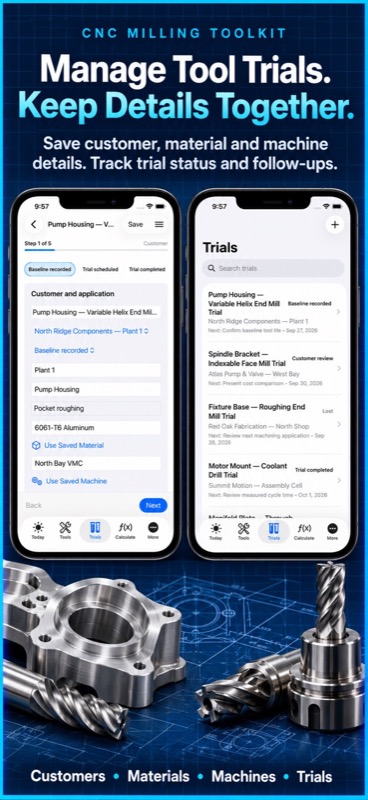
A promising cutter needs a useful comparison. Record the customer’s current process, enter a proposed setup, and keep the evidence with the trial.
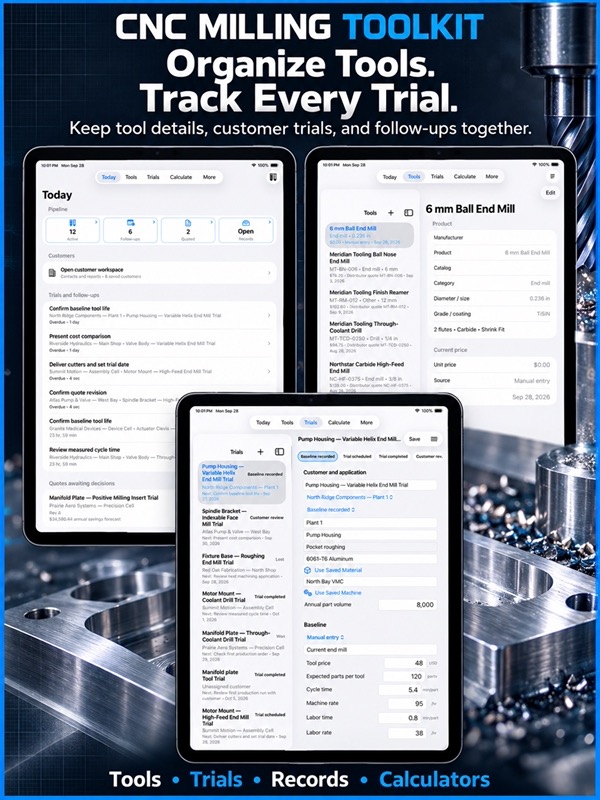
• Compare baseline and proposed tooling costs.
• Include tool life, cycle time, labor, setup time, and customer rates.
• Review estimated cost per part and annual savings.
• Record trial runs, observations, and photos.
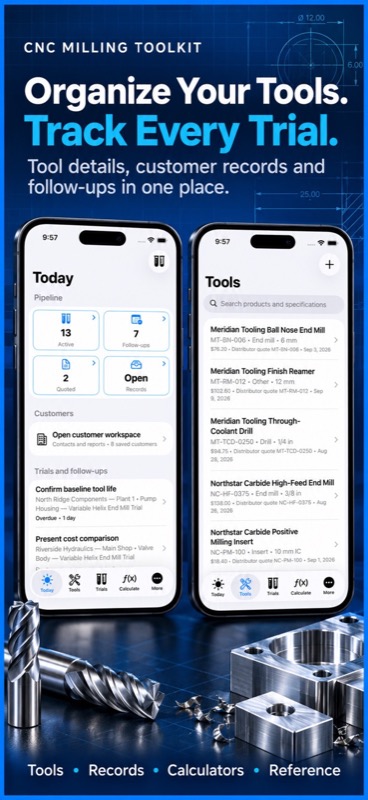
• Keep product specifications and price history together.
• Carry price sources and effective dates into your comparisons.
• Create and share PDF trial reports for the next customer discussion.
STAY ON TOP OF THE NEXT CONVERSATION
• Keep customer sites, applications, and local contacts organized.
• Mark decision-makers and save sales notes.
• Import selected iOS contacts, refresh linked details, or export contacts when you choose.
• Track trials from baseline and scheduling through review, quote, won, or lost.
• Record next actions, due dates, quote revisions, and first orders.
• Open active trials, follow-ups, and quoted work from Today.
• Set local reminders for follow-ups.
• Estimate stock coverage and reorder timing from production, tool life, quantity, and supplier lead time.
Reorder dates and savings are forecasts based on your entries, giving you a starting point for a conversation with the customer.
KEEP USEFUL WORK FOR THE NEXT JOB
• Search saved calculation, shop, and sales records from one Records workspace.
• Organize tools, machines, materials, setup jobs, shop notes, and wear logs.
• Review dated shop activity in Calendar.
• Prepare setup sheets with the details needed for a repeat job.
• Use available PDF, JSON, and QR sharing options.
• Export sales summaries and transfer sales projects with photos and reports.
• Preview imports before merging records.
• Bring in product lists and customer price sheets from CSV files.
Core calculators, reference data, and local records work without an account or network connection. Keep the details available when reception on the shop floor is limited.
For monthly subscriptions:
Monthly Pro is a 1-month auto-renewable subscription.
Terms of Use (EULA): https://www.apple.com/legal/internet-services/itunes/dev/stdeula/
The app provides planning values and calculations, not a substitute for machining judgment. Confirm final cutting data against the tooling manufacturer’s recommendations, machine limits, workholding, coolant, material condition, and the actual cut.
App Store Screenshots
App Store Information
- App Store category: Utilities
- Genres: Utilities, Business
- App Store price (US): Free (USD)
- Current version: 9.5
- Requires: iOS 17.6 or later
- Content rating: 4+
- Last updated: 2026-09-30
Developed by Verosocial. App details can change; verify the current App Store listing before publication.