
Current App Store listing: Milling Calcs: CNC Shop Tools
App Store checked October 8, 2026. The current description and screenshots are shown in this section. The original article and images following this section are preserved as historical material.

About this app
Thank you for using Milling Calcs. Your skill and attention to detail make good machining possible, and we appreciate a place in your working day. From a quick spindle speed check to a customer tool trial, keep the numbers and notes you need close at hand.
Milling Calcs brings CNC milling calculators, shop reference tables, job planning, and cutting-tool sales records together on iPhone and iPad. Use it at the machine, in the office, or during a customer visit.
CALCULATE YOUR NEXT CUT
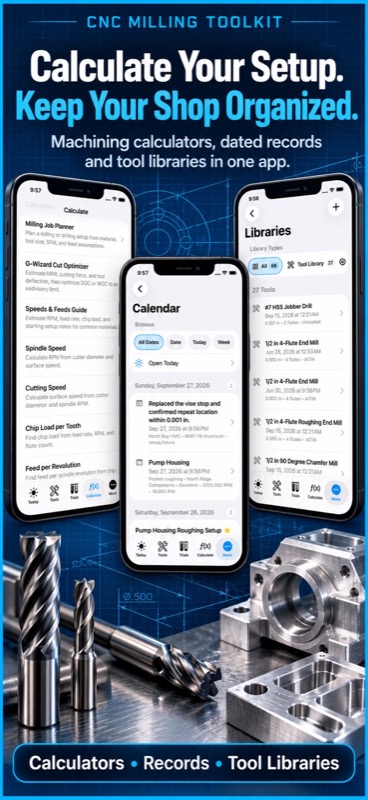
• Find spindle RPM, cutting speed, feed rate, and chip load per tooth.
• Calculate feed per revolution and estimate plunge feed.
• Work with Imperial and Metric inputs where supported.
• Plan milling jobs using material, cutter size, flute count, and cutting speed.
• Check material removal rate for a proposed cut.
• Estimate cutting force and tool deflection with the Cut Optimizer.
• Explore depth and width of cut against an advisory deflection limit.
• Share calculation results and return to saved milling jobs.
KEEP SHOP MATH WITHIN REACH
• Look up tap drills and work through thread engagement choices.
• Calculate true position, sine bar height, arc length, and chord length.
• Work out offsets, conduit bends, and shrinkage compensation.
• Convert common shop measurements.
• Browse drill sizes, pipe threads, material machinability, and tooling references.
• Find G-code and M-code reference information without opening a browser.
MAKE TOOL TRIALS EASIER TO EXPLAIN
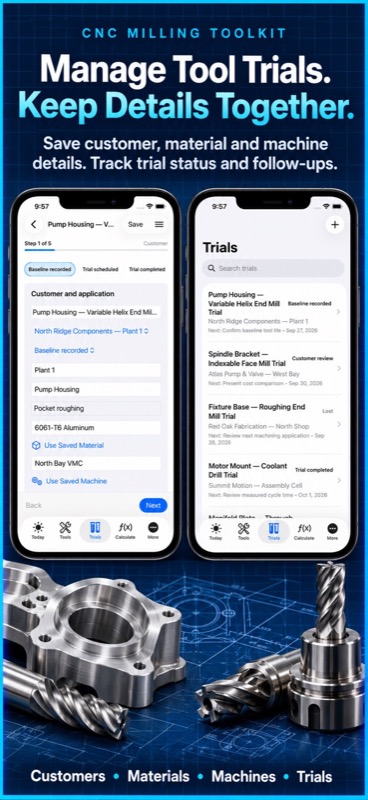
A promising cutter needs a useful comparison. Record the customer’s current process, enter a proposed setup, and keep the evidence with the trial.
• Compare baseline and proposed tooling costs.
• Include tool life, cycle time, labor, setup time, and customer rates.
• Review estimated cost per part and annual savings.
• Record trial runs, observations, and photos.
• Keep product specifications and price history together.
• Carry price sources and effective dates into your comparisons.
• Create and share PDF trial reports for the next customer discussion.
STAY ON TOP OF THE NEXT CONVERSATION
• Keep customer sites, applications, and local contacts organized.
• Mark decision-makers and save sales notes.
• Import selected iOS contacts, refresh linked details, or export contacts when you choose.
• Track trials from baseline and scheduling through review, quote, won, or lost.
• Record next actions, due dates, quote revisions, and first orders.
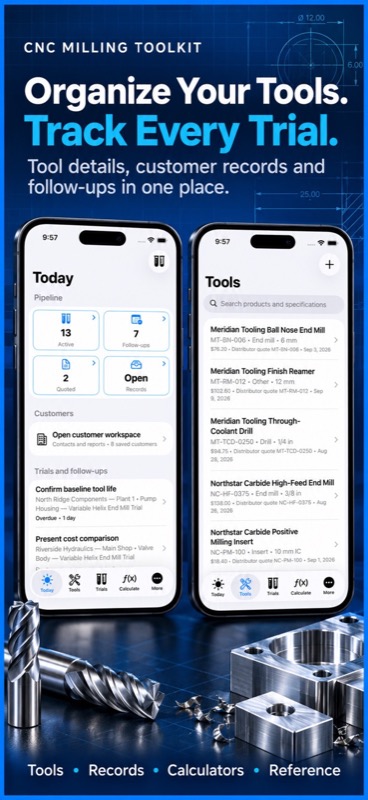
• Open active trials, follow-ups, and quoted work from Today.
• Set local reminders for follow-ups.
• Estimate stock coverage and reorder timing from production, tool life, quantity, and supplier lead time.
Reorder dates and savings are forecasts based on your entries, giving you a starting point for a conversation with the customer.
KEEP USEFUL WORK FOR THE NEXT JOB
• Search saved calculation, shop, and sales records from one Records workspace.
• Organize tools, machines, materials, setup jobs, shop notes, and wear logs.
• Review dated shop activity in Calendar.
• Prepare setup sheets with the details needed for a repeat job.
• Use available PDF, JSON, and QR sharing options.
• Export sales summaries and transfer sales projects with photos and reports.
• Preview imports before merging records.
• Bring in product lists and customer price sheets from CSV files.
Core calculators, reference data, and local records work without an account or network connection. Keep the details available when reception on the shop floor is limited.
For monthly subscriptions:
Monthly Pro is a 1-month auto-renewable subscription.
Terms of Use (EULA): https://www.apple.com/legal/internet-services/itunes/dev/stdeula/
The app provides planning values and calculations, not a substitute for machining judgment. Confirm final cutting data against the tooling manufacturer’s recommendations, machine limits, workholding, coolant, material condition, and the actual cut.
App Store Screenshots
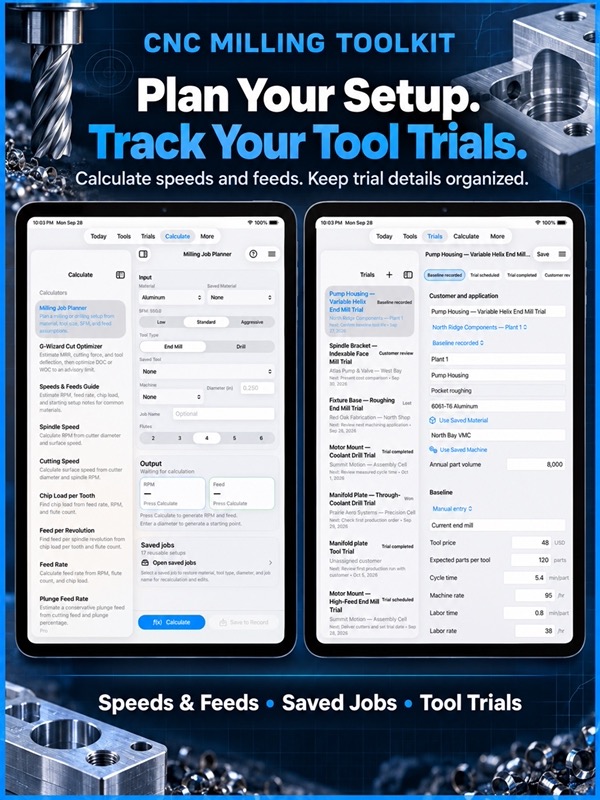
Latest App Store Release Notes
Thank you for using Milling Calcs. Your careful setup work, practical experience, and attention to your customers deserve tools that keep up. This update brings calculations, tool trials, contacts, and follow-ups closer together, so you can keep the details of a job or customer visit in one place.
A MORE USEFUL START TO THE DAY
• Open Today for an overview of your tool trial pipeline.
• Tap Active to see the saved trials behind the count.
• Tap Follow-ups to review the trials that need your attention.
• Tap Quoted to open work awaiting a customer decision.
• Use the Records tile to reach saved calculation, shop, and sales records.
• Open Customers from Today for sites, contacts, and reports.
CALCULATORS BACK WITHIN EASY REACH
• Calculate has its own tab alongside Today, Tools, Trials, and More.
• Search for machining calculators and unit conversions from the calculator directory.
• Keep speeds and feeds, milling job planning, and everyday shop math close while working on a trial.
• Find shop libraries, reference tables, Calendar, settings, and transfer options in More.
A CLEARER TOOL TRIAL WORKFLOW
• Work through Customer, Baseline, Proposed, Follow-up, and Compare on iPhone.
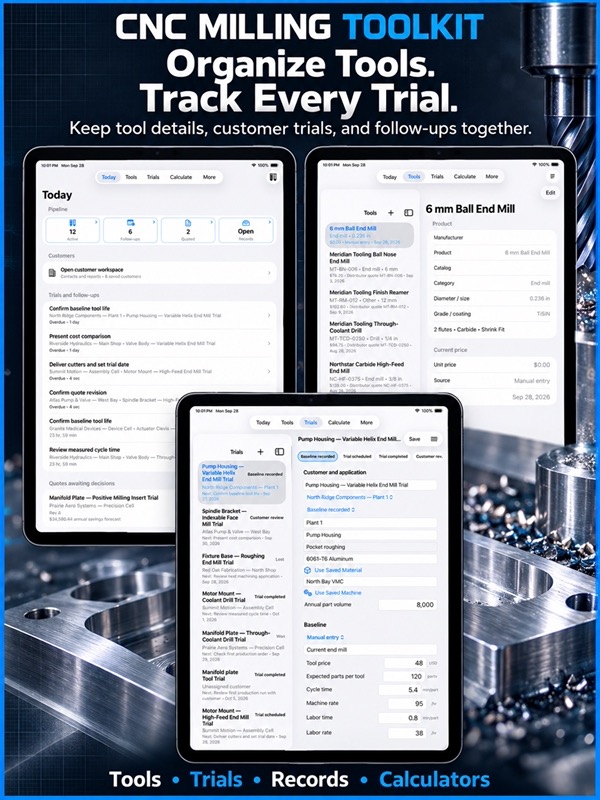
• Use wider trial sections on iPad, with paired fields stacking when space is limited.
• Fill in available customer, material, machine, and product details from saved records.
• Copy a baseline into the proposed scenario to start a comparison.
• Record a run and open its saved history.
• Compare estimated per-part costs and annual savings using the values you enter.
• Create a PDF report and open the saved report before choosing to share it.
• Keep observations and trial photos with the customer discussion they belong to.
CUSTOMERS AND CONTACTS TOGETHER
• Create local sales contacts and associate them with customers.
• Keep names, roles, phone numbers, and email addresses handy.
• Mark decision-makers and retain sales notes in Milling Calcs.
• Choose contacts to import from iOS Contacts.
• Refresh linked contact details or explicitly export local contacts.
• Continue using local contacts even without iOS Contacts access.
FOLLOW THROUGH AFTER THE TRIAL
• Track progress through customer review, quotes, and the final outcome.
• Record next actions, due dates, supplied samples, and quote revisions.
• Set local next-action reminders.
• Estimate tool coverage and a reorder date using entered stock, production, tool life, and lead time.
• Review the assumptions before setting a reorder reminder.
MORE CONTEXT FOR TOOLS AND PRICES
• Browse products and selected details side by side in the iPad Tools workspace.
• Search saved shop tools when choosing a product preset.
• Keep price history, source, currency, and effective date attached to pricing records.
• Import product lists and customer price sheets from CSV.
• Get clearer feedback for malformed CSV files before an import preview is created.
RECORDS AND SHARING
• Search saved records across calculation, shop, and sales categories.
• Narrow the view by category and choose ascending or descending order.
• Transfer sales projects with contacts, products, trials, photos, and saved PDF reports.
• Review proposed additions and updates before importing a project.
• Keep records already on your device when merging a project.
• Export a sales-summary CSV for work outside the app.
• Review a confirmation before deleting sales records or saved trial photos.
Your core work stays local, with no account needed for calculations, customer records, or trial planning. Whether you are checking a feed rate or preparing for a return visit, this update helps keep the next step and the supporting details close at hand.
App Store Information
- App Store category: Utilities
- Genres: Utilities, Business
- Availability: Free
- Current version: 9.5
- Requires: iOS 17.6 or later
- Content rating: 4+
- Last updated: 2026-09-30
Developed by Verosocial. App details can change; verify the current App Store listing before publication.
Historical description


If you are using Milling Calcs, you are already running your shop the right way. You check the numbers before the spindle starts, you care about repeatable results, and you treat setup data like real production value. This app was built for machinists like you.
Milling Calcs is a practical CNC calculator and shop-floor reference built for milling, drilling, tapping, layout work, fabrication geometry, and setup tracking. Use it when you need fast answers at the machine, reliable setup history at the bench, and clear records for handoff across shifts.
Use it to calculate RPM, SFM, feed rate, chip load, plunge feed, material removal rate, tap drill sizes, true position, offset bends, sine bar elevation, shrinkage compensation, arc length, chord length, segment height, and more. Save useful results as structured records so proven setups are ready the next time the job returns.
### Why Shops Keep This App Open
– Fast inputs and readable outputs
– Shop math that matches real setup work
– Saved setup records you can find later
– Built-in references that reduce chart hunting
– Strong iPhone workflow for machine-side checks
– Split-view support on iPad for calculator plus records
– Practical tools for both CNC and manual workflows
– Clear handoff notes for team and shift continuity
### Core CNC And Machining Calculators
– Milling Job Planner with material, cutter, flute count, RPM, feed, and SFM
– Speeds and Feeds Guide for quick starting values
– Spindle Speed (RPM) calculator
– Cutting Speed (SFM) calculator
– Chip Load per Tooth calculator
– Feed per Revolution calculator
– Feed Rate calculator
– Plunge Feed calculator
– Material Removal Rate (MRR) calculator
– Tap Drill calculator
– True Position calculator
– Shrinkage Compensation calculator
– Sine Bar calculator
– Arc Length calculator
– Chord Length calculator
– Segment Height calculator
### Layout, Fabrication, And Bend Tools
– Compound Offset Layout
– Straight Pipe Kick
– Conduit Offset Bend
– Parallel Offset Bend
– Concentric Bend Layout
– Conduit Saddle Bend
– Practical geometry tools for layout, fabrication, and machine setup
### Records That Work Like A Shop Notebook
– Save calculations as reusable shop records
– Store title, material, machine, tool, notes, tags, and timestamps
– Keep both inputs and outputs for traceable setup history
– Search by job name, material, tool, machine, tags, or calculator type
– Sort by latest update, newest, name, material, or type
– Filter favorites, milling jobs, tools, machines, notes, and calculations
– Duplicate records for repeat jobs and part families
– Share a clean setup summary for handoff
– Review activity by date in Calendar view
### Shop Library
– Save tool records
– Save machine records
– Save material records
– Save milling job records
– Save setup job records
– Save shop notes
– Save tool wear logs
– Keep key details next to the calculators you use daily
### Reference Charts And Databases
– Imperial Tap Drill Table
– Metric Tap Drill Table
– Tap, Thread, and Drill Database
– Drill Size Conversion Table
– Clearance Drill reference
– Pipe Threads Table
– Thread reference database
– Decimal, Fraction, and Metric lookup
– G-Code and M-Code reference
– Material Machinability database
– Speeds and Feeds database
– Tooling database
– CNC Machine reference
– Search across reference records for faster lookup
Milling Calcs does not replace machining judgment, tooling data, or experience. It gives you practical starting points, repeatable math, and searchable records so your best setup work is easier to repeat.
For monthly subscriptions:
Monthly Pro is a 1-month auto-renewable subscription.
Terms of Use (EULA): https://www.apple.com/legal/internet-services/itunes/dev/stdeula/
Always confirm final cutting data against your tooling manufacturer, machine rigidity, workholding, coolant, material condition, depth of cut, and actual cut conditions.
Historical note: education pricing mentioned on this page is no longer confirmed.