
About this app
Thank you for choosing Electrician RF Field Toolkit. Your attention to measurements, code requirements, and clear records shows the care you put into your work. Use the app to check a number and keep a record without losing your place.
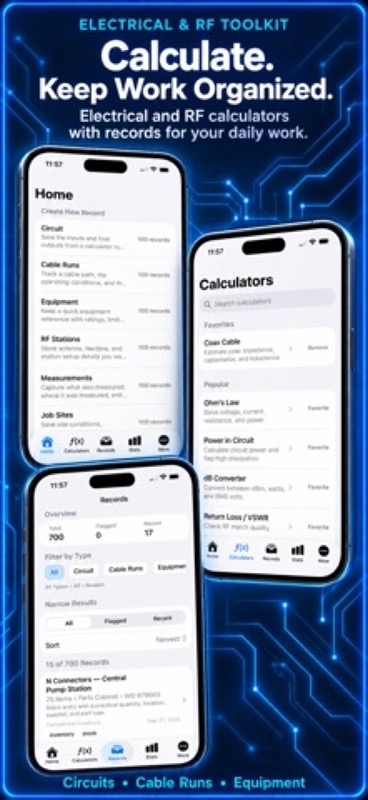
Electrician RF Field Toolkit combines practical electrical calculators, RF calculators, electronics tools, saved field records, and reference material in one organized app. It helps you move from a question to a clear result without building a spreadsheet or searching through scattered notes.
Calculate common electrical values:
– Solve Ohm’s law for voltage, current, resistance, and power
– Calculate series and parallel resistance
– Estimate voltage drop
– Work with capacitive and inductive reactance
– Review RLC impedance and resonance
– Check transformer turns, voltage, current, and impedance ratios
– Enter longer formulas with a three-row math keypad and review results in a scrolling view
– Convert percentages, parts per million, binary, and hexadecimal values
Handle RF and signal work:
– Convert dB, dBm, watts, and voltage
– Calculate VSWR, return loss, reflection coefficient, and mismatch loss
– Estimate wavelength from frequency
– Account for cable velocity factor and propagation delay
– Estimate coax cable impedance, capacitance, and inductance
Create useful field records:
– Start each record from a clear record type on Home
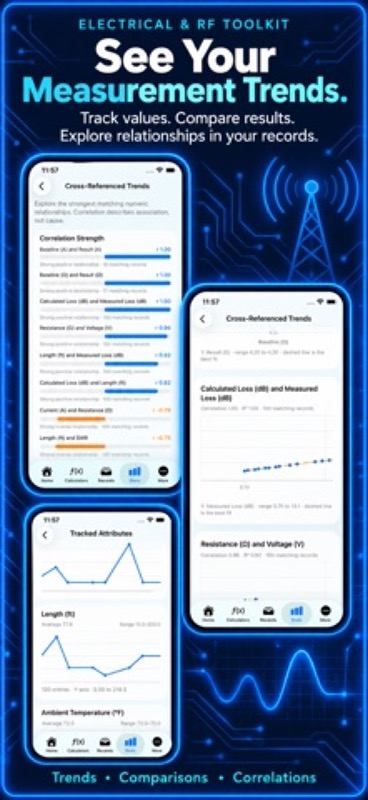
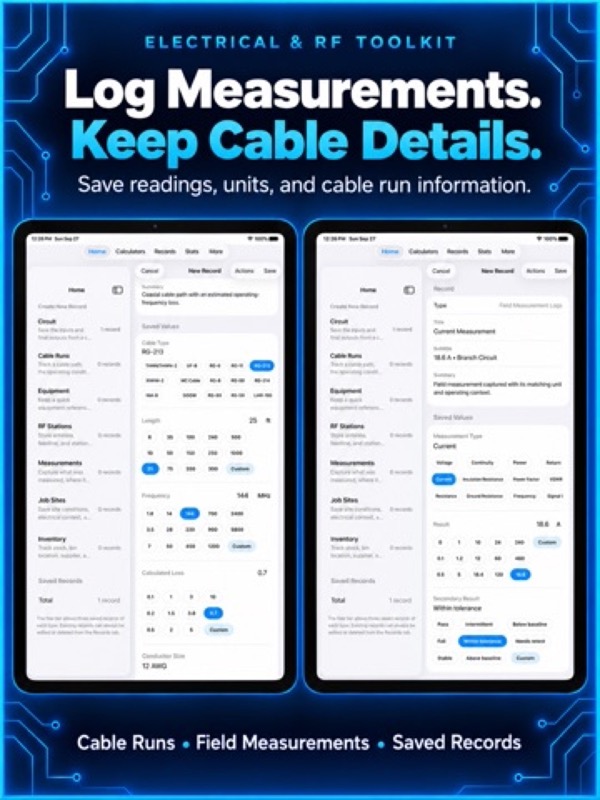
– Save circuit calculations, cable runs, measurements, job sites, service notes, equipment details, and inventory
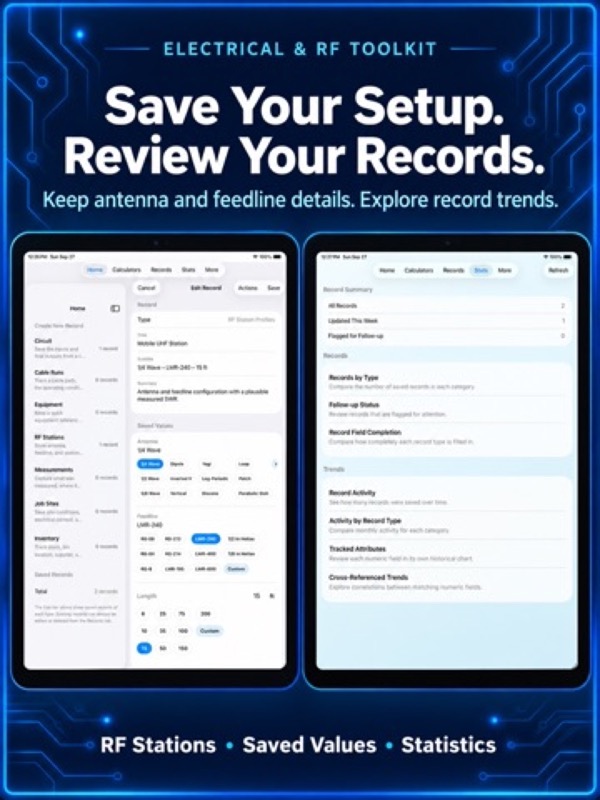
– Choose realistic suggested values for cable type, service conditions, equipment, and common field entries
– Add a custom value when a job needs something different
– Use practical reference charts at the bottom of supported records
– Search and filter saved work by record type, text, status, or recency
Made for quick work on iPhone and iPad:
– Clean Home, Calculators, Records, Stats, and More tabs
– Split views on iPad keep lists and details visible together
– Horizontal choices make common values easy to select
– American and International choices are available where they apply
– Choose System, Light, or Dark appearance
Keep records portable:
– Export saved records, names, time entries, and milling jobs to one JSON archive
– Export one data category as spreadsheet-ready CSV
– Import JSON without replacing entries already saved
– See counts by category and a completion message after each transfer
– Handle up to 10,000 entries per transfer, with a 100 MB JSON import limit
Use built-in guidance and references:
– Search the Help guide by workflow, formula, records, or troubleshooting topic
– Review Ohm’s law, AC power, voltage drop, reactance, impedance, RF, VSWR, dB, transformer, frequency, and statistics formulas
– Open bundled drill-size, tap-drill, and pipe-thread charts
– Find external electrical, cable, and engineering sources under Reference in More
– Check for App Store updates manually from Settings
– Restore eligible purchases when moving to another device
Useful for:
– Electricians and electrical contractors
– Low voltage and communications technicians
– RF technicians and radio amateurs
– Electronics, audio, and bench technicians
– Maintenance teams and service professionals
– Apprentices, trade students, instructors, and makers
For monthly subscriptions:
Monthly Pro is a 1-month auto-renewable subscription.
Terms of Use (EULA): https://www.apple.com/legal/internet-services/itunes/dev/stdeula/
Use Electrician RF Field Toolkit as a planning and reference aid. Verify calculations, measurements, equipment listings, manufacturer instructions, adopted electrical codes, local requirements, and actual site conditions before performing work.
App Store Screenshots
Latest App Store Release Notes
Thank you for using Electrician RF Field Toolkit. You take care with measurements and keep records that help on the next visit. This update makes it quicker to enter a record, check a calculation, and find what you saved.
This release refreshes records, calculators, Help, Settings, purchases, and navigation. Common tasks take fewer detours on iPhone, and iPad has more room to show lists beside details.
A better record workflow:
– Home is now the first tab and is dedicated to creating new records
– Records has its own tab for browsing, searching, filtering, and editing saved work
– Choose the record type before opening the editor
– Record type stays fixed so its fields, suggestions, units, and chart remain consistent
– Add a custom value for a one-time need without changing other records
– Saving keeps the current record open so you can continue editing
Faster record entry:
– The record menu includes Randomize, Help, Reset, and Share
– Randomize now supplies realistic practice values suited to each record type
– Help for each record type is available from the menu instead of occupying space above the form
– Suggested values are easier to scan, while a custom entry still fits unusual jobs
– Search looks through titles, tags, notes, and saved field values
– Flagged and recent filters help bring the right record back into view
Calculators and iPad improvements:
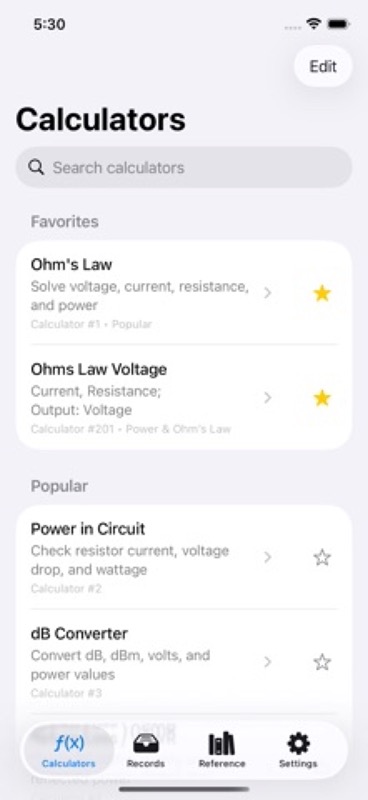
– Calculators use a split view on iPad so the list and selected tool can stay visible together
– Stats now has its own tab, while Reference is easy to find in More
– American and International unit wording is used consistently across supported tools
– Calculator actions put Randomize, Help, Reset, and Share in one menu
– Incomplete or invalid entries get clearer feedback instead of a misleading result
– Result summaries are easier to read before sharing or saving a calculation
– The Expression Calculator now gives you four lines for input, a three-row math keypad, and a scrollable seven-line result area
Import and export improvements:
– Import & Export now has its own view in More
– JSON archives include saved records, names, time entries, and milling jobs
– CSV exports one selected data category for a spreadsheet
– JSON import adds entries without replacing matches already saved
– Each transfer handles up to 10,000 entries; JSON imports over 100 MB are refused
– The screen shows when work is running and reports what happened when it finishes
– See counts for each kind of saved item while the screen stays ready to use
More control in Settings:
– Choose System, Light, or Dark appearance to suit your device and workspace
– Check the App Store listing for a newer version when you choose
– See the app version and build number in About
– Delete saved records and entries with a confirmation that names what will be removed
Help that is easier to use:
– Search guidance for calculators, saved records, transfers, and troubleshooting
– Review electrical, RF, power, impedance, and frequency formulas in one place
– See what a JSON archive includes before relying on it as a backup
– Find bundled drill-size, tap-drill, and pipe-thread charts under Reference
– Reach the support website from About, or use in-app email support with Pro
Purchase and access updates:
– Review monthly and lifetime Pro options in a clearer purchase screen
– See the App Store price when product details are available
– Restore eligible purchases from the Pro screen
– Pro access follows your App Store purchase when you move to a new device
Thank you again for using Electrician RF Field Toolkit. Your judgment at the panel or bench still matters most. We hope the shorter paths to calculations and saved records earn a place in your next workday.
App Store Information
- App Store category: Utilities
- Genres: Utilities, Productivity
- Availability: Free
- Current version: 10.4
- Requires: iOS 17.6 or later
- Content rating: 4+
- Last updated: 2026-09-29
Developed by Verosocial. App details can change; verify the current App Store listing before publication.