
About this app
Thank you for using Milling Calcs. Your skill and attention to detail matter at every setup. Build on that good work with CNC machining calculators, tool trials, shop records, and references in one app for iPhone and iPad and Apple Watch.
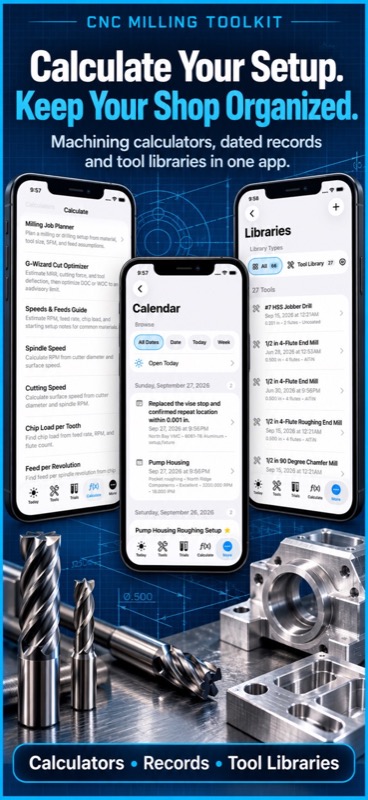
Check spindle speed at the machine, compare a new tool with the current cut, or prepare for a customer visit. Keep the numbers and the job details together so you can find them when the next order arrives.
CALCULATE YOUR NEXT CUT
– Find spindle RPM from cutter diameter and cutting speed.
– Calculate feed rate, chip load per tooth, and feed per revolution.
– Estimate plunge feed and material removal rate.
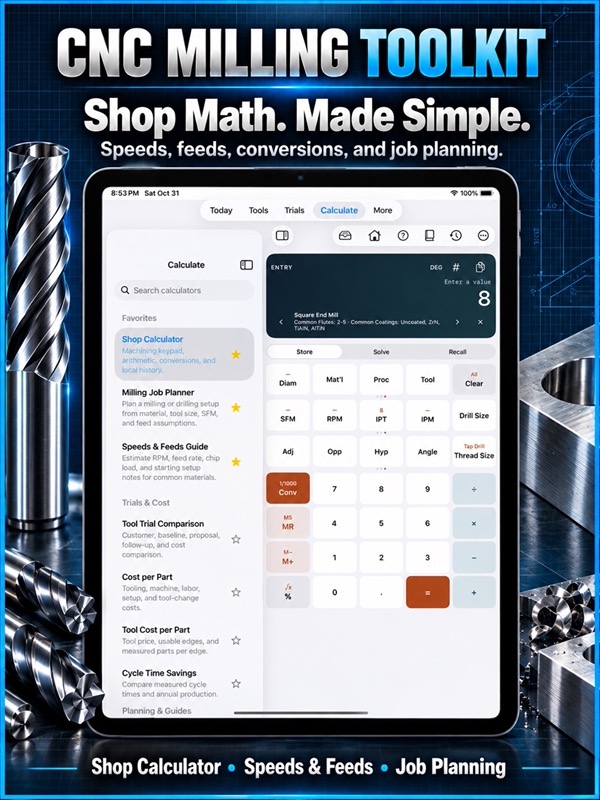
– Plan milling and drilling jobs with material, tool size, and cutting inputs.
– Explore estimated cutting force and tool deflection for planning.
– Work with Imperial and Metric units.
– Convert length, area, solid volume, and liquid volume.
SOLVE EVERYDAY SHOP QUESTIONS
– Check true position from measured X and Y deviation.
– Find tap drill sizes and sine bar setup heights.
– Calculate arc length, chord length, and circular segment height.
– Work through shrinkage compensation.
– Lay out pipe kicks, compound offsets, and conduit bends.
– Use a shop calculator with arithmetic, conversions, and local history.
COMPARE TOOLS WITH THE FULL COST IN VIEW
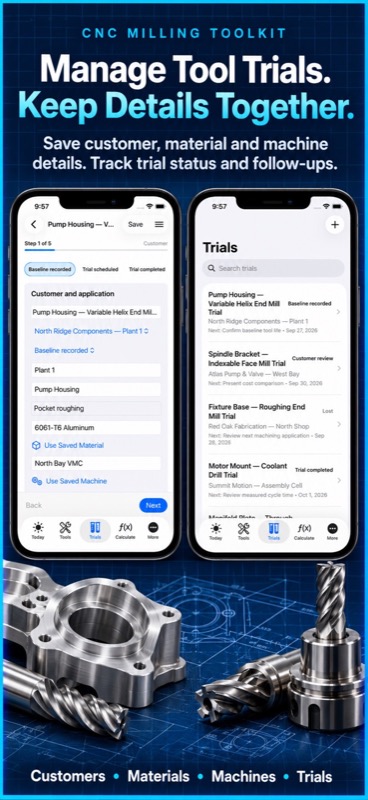
– Compare baseline and proposed cutting tool trials.
– Review tooling, machine, labor, setup, and tool-change costs per part.
– Estimate cycle time savings and annual savings from your inputs.
– Record tool life, usable edges, tool prices, and production volume.
– Keep trial photos, observations, and measured runs with the job.
– Share PDF trial reports.
KEEP CUSTOMER WORK MOVING
– Organize customers, sites, contacts, parts, and applications.
– Track trial stages, quotes, next actions, and outcomes.
– Set local follow-up reminders when you choose.
– Record first orders, purchase orders, quantities, and lead times.
– Review reorder forecasts based on your stock and production assumptions.
– Maintain local contacts or explicitly import, refresh, and export iOS Contacts.
– Keep customer notes and decision-maker details in your sales workspace.
SAVE THE DETAILS THAT MAKE REPEAT WORK EASIER
– Keep saved calculations and milling jobs close to your shop records.
– Maintain tool, machine, and material libraries.
– Record setup jobs, shop notes, daily tasks, and tool wear.
– Search records, browse categories, and change sort direction.
– Build setup sheets for repeat jobs and shift handoffs.
– Use supported text, PDF, JSON, and QR setup-sheet sharing.
MACHINING REFERENCES WITHIN REACH
– Browse Imperial and Metric tap drill tables.
– Look up drill sizes, clearance drills, and pipe threads.
– Check decimal, fraction, and metric conversions.
– Consult G-code, M-code, material, tooling, and machine references.
– Review speeds and feeds reference data without opening a browser.
YOUR WORK, READY WHEN YOU NEED IT
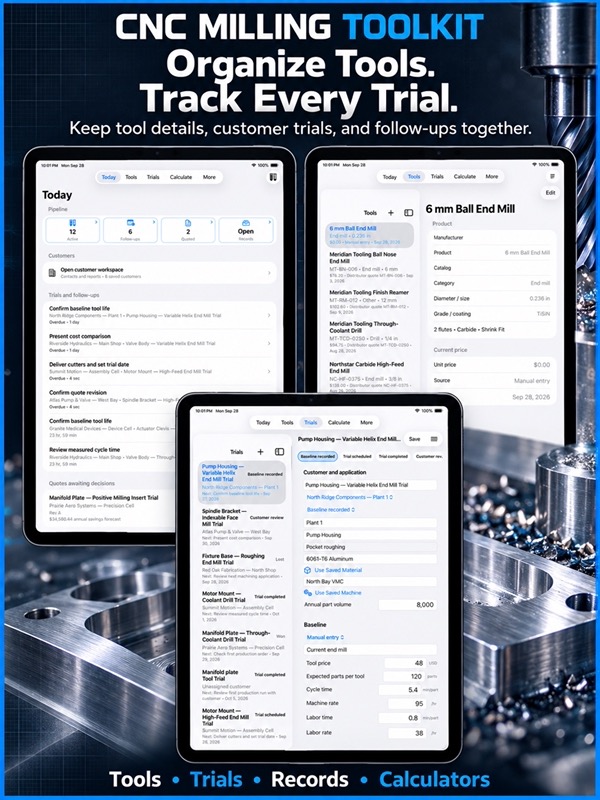
Core calculations, references, records, and the sales workspace work locally without an account or internet connection. Use Today, Tools, Trials, Calculate, and More to move between the day’s priorities and the details behind them.
– Back up shop data and preview supported imports.
– Export sales summaries for spreadsheet review.
– Carry customers, contacts, products, trials, photos, and reports in a sales project.
– Preview sales-project changes before merging them with existing work.
Start with core calculators and reference data. Pro adds advanced calculators, unlimited calculation and shop records, full shop libraries, and PDF, JSON, and QR setup-sheet exports.
Bring your experience. Keep useful numbers, trial evidence, and the next action close at hand.
For monthly subscriptions:
Monthly Pro is a 1-month auto-renewable subscription.
Terms of Use (EULA): https://www.apple.com/legal/internet-services/itunes/dev/stdeula/
App Store Screenshots

Latest App Store Release Notes
Thank you for using Milling Calcs. The care you put into each setup, tool trial, and customer visit deserves useful tools. Version 9.6 helps you follow the work behind your pipeline, find saved records, and see when a reminder needs attention.
CLEARER TRIAL SAVE AND REMINDER FEEDBACK
– Save your trial and get feedback if an enabled reminder could not be scheduled.
– See which reminders need attention in one message.
– Keep the saved trial even when a reminder needs another look.
– Review follow-up, production, and reorder reminder choices alongside the trial details.
MORE CONTROL OVER PRICE IMPORTS
– Preview product and customer price CSV files before updating your catalog.
– See a row-specific issue when a product matches more than one catalog entry.
– Use a manufacturer or unique catalog number to clarify an ambiguous match.
– Review the import feedback before bringing new prices into your saved tools.
– Keep price source, currency, and effective date available for future comparisons.
OPEN THE TRIALS BEHIND YOUR PIPELINE
– Tap Active in Today to see the trials counted there.
– Open Follow-ups to review the trials that need your attention.
– Open Quoted to find the proposals waiting on a decision.
– Select a trial to review its details and next action.
– Use All Trials from Today when you want the broader picture.
SAVED RECORDS WITHIN EASIER REACH
– Open Records from Today, Calculate, or More.
– Browse calculation, shop, and sales records by category.
– Search saved work and choose the sort direction.
– Return to a previous job, setup, or trial when the customer calls again.
A CLEARER START ON IPAD
– Tools, Trials, and Calculate offer a useful starting page when no item is selected.
– Use Home to return from a selected detail to the workspace introduction.
– Keep list and detail views together where the available screen width allows.
KEEP THE CUSTOMER CONVERSATION TOGETHER
– Save customers, sites, applications, and local contacts with your sales work.
– Keep contact roles, phone numbers, email, and decision-maker details handy.
– Import a selected iOS contact, refresh linked details, or export a local contact when you choose.
– Continue using local contacts if you decline access to iOS Contacts.
COMPARE THE CUT AND THE COST
– Record the current tool and proposed alternative in the same trial.
– Review tooling, machine, labor, and setup cost per part.
– Estimate annual savings using the production volume you enter.
– Keep tool prices and their sources with the comparison.
– Add photos, observations, and measured trial runs to support your discussion.
– Create and retain PDF trial reports for follow-up visits.
FOLLOW THROUGH FROM TRIAL TO REORDER
– Track trials through testing, customer review, quotes, and won or lost outcomes.
– Record supplied samples, quote revisions, next actions, and first-order details.
– Review reorder forecasts using tool quantity, stock, parts per tool, weekly production, start date, and supplier lead time.
– Use those planning estimates to choose a reorder reminder that fits the job.
TAKE YOUR SALES WORK WITH YOU
– Export a sales summary for spreadsheet review.
– Share a sales project containing customers, contacts, products, trials, price history, photos, and PDF reports.
– Preview additions, updates, and skipped records before a sales-project import.
– Merge project records while keeping work already saved only on your device.
Your calculators, machining references, shop libraries, setup sheets, and backup tools remain part of Milling Calcs. Core work stays available locally without an account or internet connection. Keep the details that matter, then put your attention back on the job.
App Store Information
- App Store category: Utilities
- Genres: Utilities, Business
- Availability: Free
- Current version: 9.6
- Requires: iOS 17.6 or later
- Content rating: 4+
- Last updated: 2026-11-01