
About this app
The time you put into wrestling deserves credit, from early practices to the last bout of the day. Thank you for using Wrestling+ to keep track of that work. You’re giving each wrestler a useful record to learn from. Keep building on the progress you see.
Wrestling+ puts your scorebook, team records and practice plans in one place on iPhone and iPad. Whether you coach a school team, help at a club or follow your child’s season, keep the details you want to remember close at hand.
SCORE EACH BOUT YOUR WAY
– Use live scoring, detailed match entry or a quick final score.
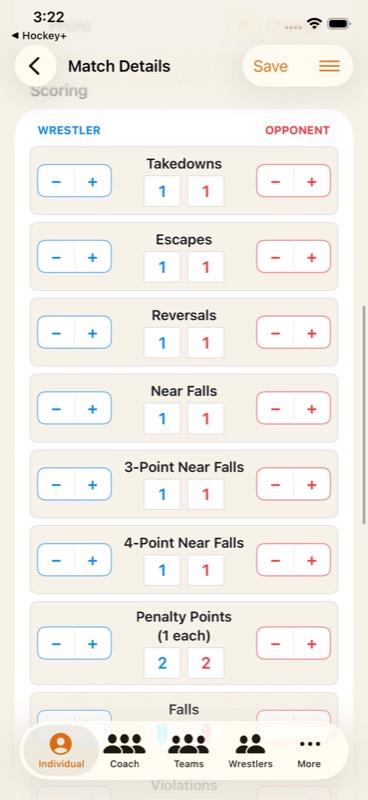
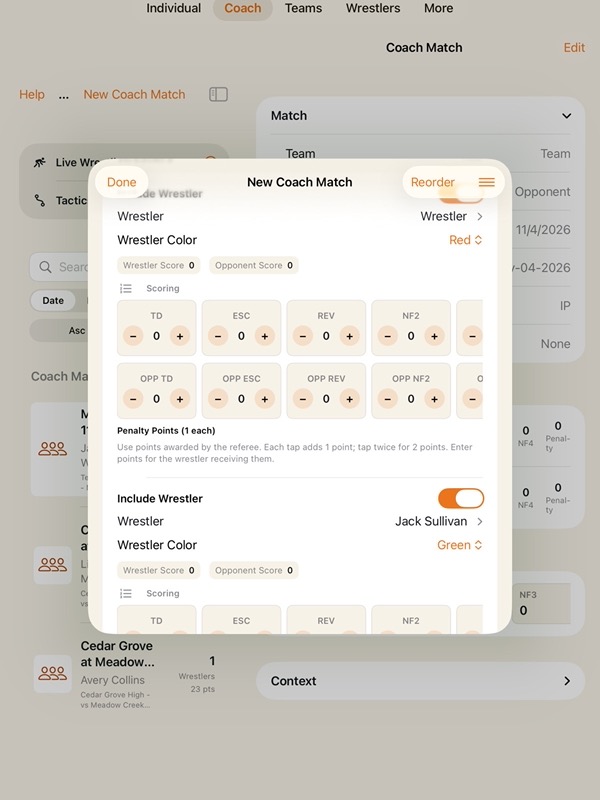
– Track takedowns, escapes, reversals, near falls and penalty points.
– Record wrestler and opponent scores alongside falls, violations and wave-offs.
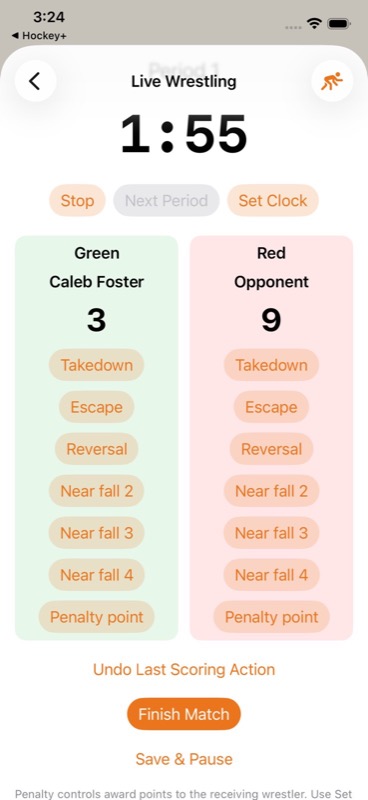
– Keep the period, clock and scores together on the live scoreboard.
– Adjust folkstyle rules and period durations for your match.
– Undo the last scoring action when needed.
– Pause and save a live bout, then return to it later.
– Record the winner and method of victory, including pins and technical falls.
– Add weight class, opponent club and notes while the details are fresh.
BRING A PLAN TO WRESTLING PRACTICE
– Open Tactics & Plays without creating a match.
– Start with a blank mat or choose a wrestling technique template.
– Plan neutral entries, stand-up escapes, reversals, turns and defensive responses.
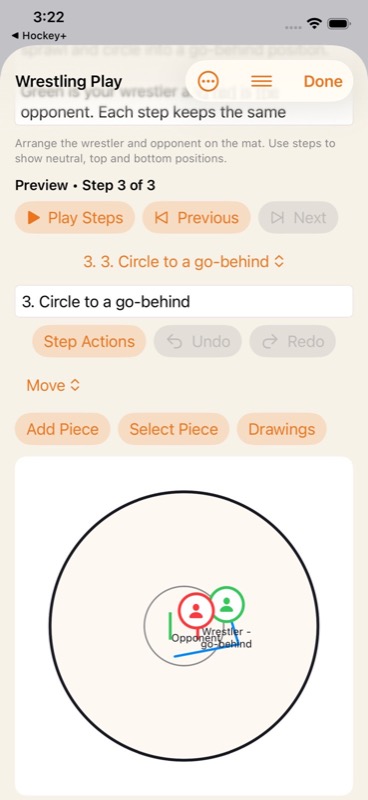
– Move wrestler and opponent markers and draw routes on the mat.
– Build a sequence step by step, then preview it at your own pace.
– Duplicate a play to keep another variation for the next session.
– Export your playbook separately or import plays while keeping existing plans.
FOLLOW ONE WRESTLER OR THE WHOLE TEAM
– Use Individual to keep a wrestler’s match history together.
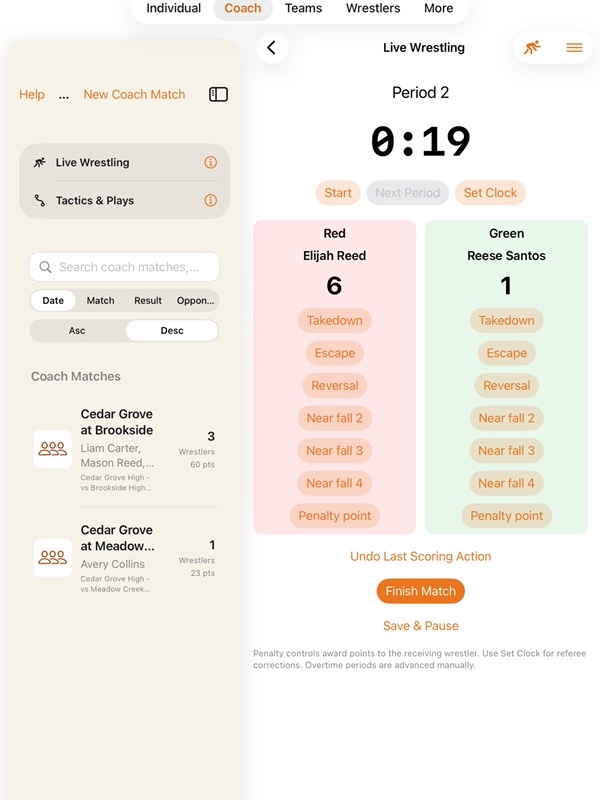
– Use Coach for several wrestler entries under one shared match.
– Organize wrestlers, teams, seasons, portraits, notes and awards.
– Search saved matches by wrestler, team, opponent or notes.
– Group bouts into tournaments and dual meets with event details and placements.
– Review bouts in sequence and team points from saved dual meet results.
REVIEW YOUR WRESTLING STATS
– Review wins, losses, ties, win percentage and scoring differential.
– Compare recorded pins, technical falls and major decisions.
– Filter performance by wrestler, team, season or weight class.
– Look back at recent results and explore scoring trends in charts.
– Share a PDF report for a season review or coaching conversation.
– Use your match notes to choose a clear focus for the next practice.
CONTACTS, CARDS AND RECORD SHARING
– Link parent, guardian and coach contacts to wrestlers and teams.
– Reuse a contact across siblings or several wrestlers.
– Choose someone from Apple Contacts or review a shared contact card.
– Start a call or email from saved contact details.
– Create cards for matches, wrestlers, teams, seasons and awards.
– Choose card fonts and colors, then share or save your card to Photos.
– Export CSV spreadsheets or keep a JSON record backup.
– Review an import before adding records. JSON backups exclude photos.
START FREE, ADD PRO WHEN YOU NEED MORE
Core record keeping works on your device without an account. Keep a useful match history at the mat, on the road or after practice.
The free plan includes up to three saved matches, wrestlers, teams, seasons and awards in each category. A Coach match counts as one saved match, even with several wrestler entries. Existing records and export remain available after a free limit is reached.
Optional Wrestling+ Pro removes these record limits. Choose a monthly subscription or a one-time lifetime purchase.
Save the details today so you can return to them when it’s time to prepare, reflect or celebrate.
For monthly subscriptions:
Monthly Pro is a 1-month auto-renewable subscription.
Terms of Use (EULA): https://www.apple.com/legal/internet-services/itunes/dev/stdeula/
App Store Screenshots
Latest App Store Release Notes
The time and care you give your wrestlers make a difference. Thank you for using Wrestling+ throughout your season. This update brings live scoring, a wrestling playbook, clearer match details and more ways to review progress. Whether you follow one wrestler or coach a team, you can prepare for the next bout with a clearer plan.
LIVE WRESTLING
– Start a live bout or return to one from your saved live matches.
– Keep both scores, the current period and time remaining together on the scoreboard.
– Record takedowns, escapes, reversals, near falls and penalty points as they happen.
– Undo the last scoring action when you need to correct an entry.
– Save and pause a bout, then return to its scoring and paused clock.
– Set period durations and adjust the clock for referee corrections.
– Finish a match with its result and method of victory, including a fall, decision or forfeit.
– Open your saved plays from the scoreboard when you want to review a plan.
THREE WAYS TO RECORD A MATCH
– Choose Detailed entry to record individual scoring counts.
– Use Quick entry for completed matches when you have the final scores.
– Choose Live scoring to follow a bout from the mat.
– Add a weight class and opponent club for a more useful match history.
– Record the winner separately from the method of victory.
– Set the folkstyle scoring and period rules used for that match.
YOUR WRESTLING PLAYBOOK
– Open Tactics & Plays without creating a match.
– Start on a blank mat or choose a template for neutral, top, bottom or defensive situations.
– Try starting plans for single-leg and double-leg entries, stand-up escapes, switch reversals and more.
– Position wrestler and opponent markers on the mat.
– Draw movement, entries and defensive responses, and add freehand markings.
– Build a sequence step by step, then duplicate, reorder or remove steps.
– Preview a sequence, pause playback or move through the steps at your own pace.
– Use Undo and Redo as you edit, or save a separate play to keep a variation.
– Reopen saved plays at your next practice. Each template creates its own editable copy.
– Export or import a playbook separately from your match backups. Imported plays are added alongside your saved plays.
TOURNAMENTS AND DUAL MEETS
– Group bouts under an event by giving them the same event name, date, location and type.
– Add bout numbers to keep the match sequence clear.
– Save tournament placements with your wrestlers’ results.
– Open Events in Stats to review the bouts from a tournament or dual meet.
– Review dual meet team points based on the recorded results and each bout’s saved rules.
REVIEW THE SEASON
– Filter Performance by season, wrestler, team or weight class.
– Review wins, losses, ties, win percentage and scoring differential from completed matches.
– Compare wins by result type, including pins, technical falls and major decisions.
– Look back at the last five completed matches and review score differences for dated results.
– Share a PDF report from the selected Performance view for a season review or coaching conversation.
– Keep older, undated matches in your history while dated results appear first in recent matches.
MORE ROOM FOR THE DETAILS
– Review Individual and Coach match details in compact rows.
– Expand or collapse match details, with less scrolling past large headers.
– Keep sharing, cards, PDF reports and Match Entry together in the Individual action strip.
– Open optional Coach context when you need it.
– Sample Data is off by default, with an option to show it in Settings.
Keep building on the details, one practice and one match at a time. Your steady support gives every wrestler something to carry into the next round.
App Store Information
- App Store category: Sports
- Genres: Sports, Utilities
- Availability: Free
- Current version: 8.4
- Requires: iOS 17.6 or later
- Content rating: 4+
- Last updated: 2026-11-06