
About this app
Thank you for using Timeshare+. Compare vacation ownership costs, financing and resale, keep track of points, and organize sales and commissions in one app for iPhone and iPad.
Put the costs in perspective
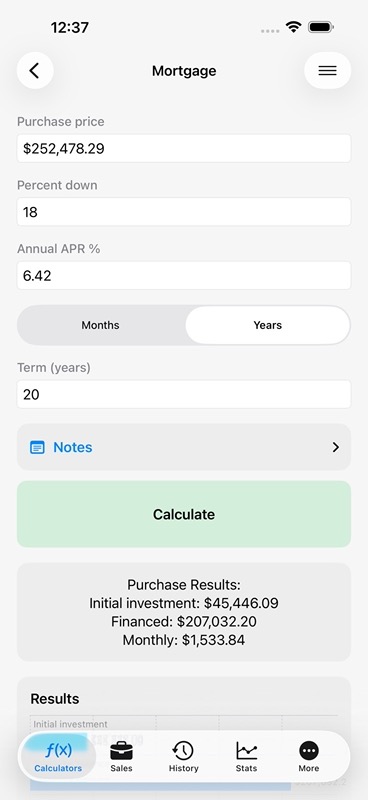
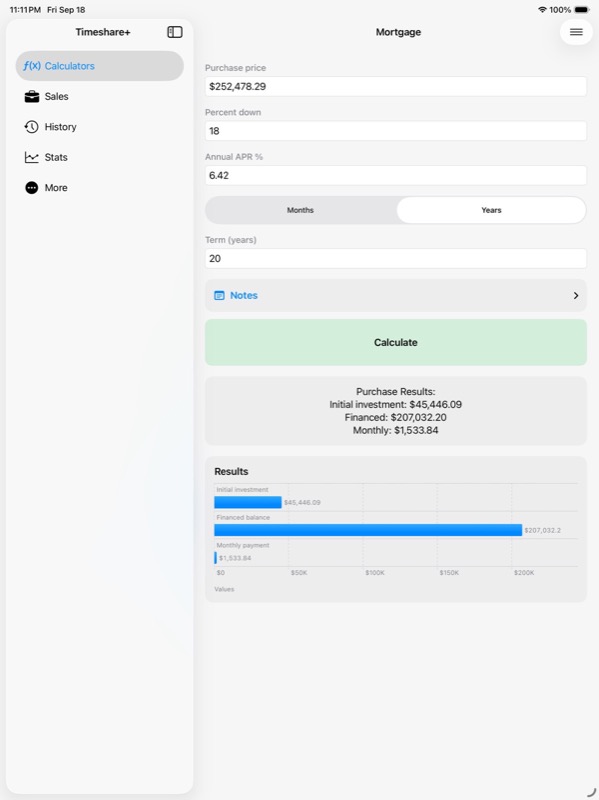
– Estimate a mortgage payment from the price, down payment, interest rate and term.
– Compare monthly payments with the Finance Payment calculator.
– Find cost per point or credit for a vacation ownership offer.
– Project annual ownership costs over the years you choose.
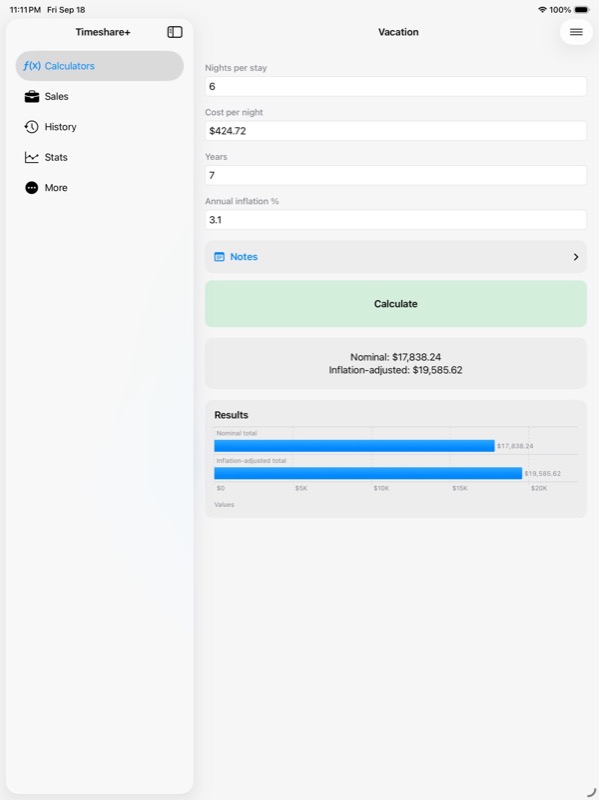
– Include inflation when reviewing future vacation costs.
– Estimate reservation value and cost per night.
– Add travel expenses with Trip Extras.
– Review break-even volume, payback period and upgrade return.
– Estimate resale depreciation and the cost of unused points.
Try a different price, rate or trip budget, then compare the result with your original estimate. Help explains the inputs. Share a result, reset the form or try sample values when you want to explore a calculator.
Compare DVC options
Six comparisons give Disney Vacation Club owners and prospective buyers a place to work through the numbers:
– Buyer acquisition: estimate the cost of buying a contract.
– Seller proceeds: see what remains after the costs you enter.
– Rental estimate: compare a point rental quote with its expenses.
– Dues projection: estimate future dues using your growth assumption.
– Buy versus rent: compare ownership with renting for planned travel.
– Unused-point exposure: estimate the cost exposure of points you may not use.
Start with available values from saved contracts and activity, then review the amounts and assumptions. Save a comparison to revisit it later. These point comparisons can also be used for other point programs with your own inputs; saved record values come from your DVC records.
Keep ownership records together
– Record DVC contracts and their key details.
– Review point balances and reservation records.
– Keep buying, selling and rental activity with the related contract.
– Separate comparison estimates from actual money records.
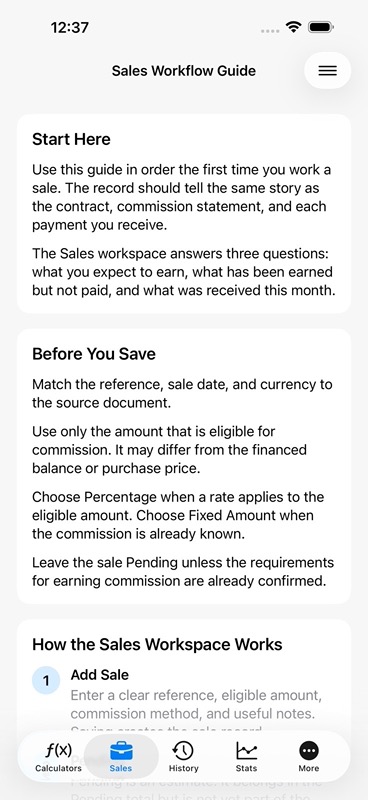
Track the sale and the commission
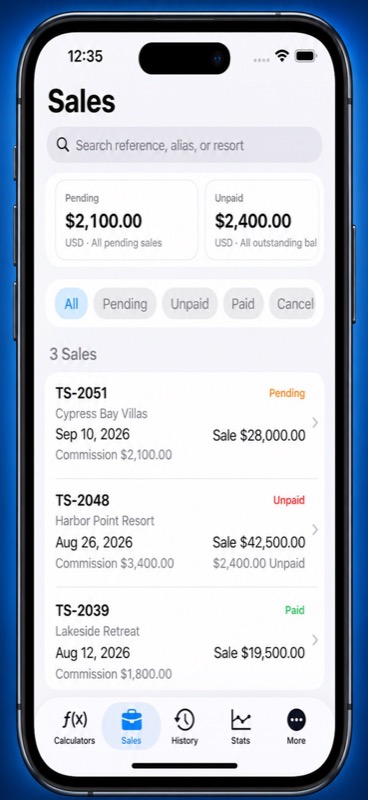
– Save a sale reference, customer, resort, amount and notes.
– Calculate commission by percentage or enter a fixed amount.
– Distinguish pending earnings from unpaid commission.
– Record partial payments and see the balance still due.
– Add dated adjustments or reverse a payment.
– Review money received this month by currency.
– Search sales and filter by their payment status.
Add a customer while choosing one, or import a contact without leaving that step. Choose saved or imported customers when adding or updating a sale. Customer details are stored locally; importing does not change Apple Contacts.
Keep your calculations useful
– Save calculation inputs, results and notes in History.
– Search for a past calculation or an assumption you recorded.
– Reopen the details and share a calculation summary.
– Explore charts of saved values in Stats.
– Review sales and ownership calculations separately.
– Export spreadsheet summaries or create a complete backup to restore your records later.
Made for your way of working
– On iPad, browse calculator and record lists beside their details.
– Use Home to return to the starting view.
– Find Sales Calculators in the second calculator section.
– Choose a language, currency format and appearance in Settings.
A limited number of calculations is available free. Timeshare+ Pro offers unlimited calculations and additional saved sales through monthly or lifetime options.
Estimates depend on your inputs. Check current contract terms, fees and program rules before acting. Confirm DVC transactions with Disney Vacation Club, your broker or closing agent.
For monthly subscriptions:
Monthly Pro is a 1-month auto-renewable subscription.
Terms of Use (EULA): https://www.apple.com/legal/internet-services/itunes/dev/stdeula/
App Store Screenshots
Latest App Store Release Notes
Thank you for using Timeshare+. Your care with costs, points and customer records deserves credit. This update puts more of that work within reach, with DVC comparisons in Calculators, customer entry where you need it, and a new way to browse on iPad.
A clearer calculator list
– Sales Calculators now sit in the second section, directly below DVC Ownership.
– Mortgage, Finance Payment, Statistics, Break-Even, Payback Period, Upgrade ROI and Resale Depreciation stay together.
– DVC Comparisons have their own section in the Calculators tab.
– Each comparison includes a short explanation of what it estimates.
– The list explains that these tools suit DVC and other point programs.
– Ownership Calculators remain grouped for point value, ownership costs, reservations and travel costs.
Six comparisons to work through
– Buyer acquisition helps you estimate a contract purchase.
– Seller proceeds shows the estimated amount left after the costs you enter.
– Rental estimate helps you review a point rental quote.
– Dues projection lets you choose the assumed annual growth.
– Buy versus rent compares two ways to pay for your planned trips.
– Unused-point exposure estimates the entered cost of points you may not use.
The comparisons use your assumptions. Review the prices, fees, point quantities and travel plans before calculating. For another point program, enter the values that apply to that program.
Start with the records you have
– Available contract details can provide a starting point for a comparison.
– Related activity can supply recorded values when it matches the comparison.
– Matching money records can help fill relevant amounts.
– Saved currency and contract expiration can carry into comparisons.
– You can edit the starting values before calculating.
– Save a scenario to return to its inputs and results later.
You still choose assumptions such as dues growth, future travel and rental quotes. Saved values reduce repeat entry while keeping the estimate in your hands.
More tools in each comparison
– Open Help for an explanation of the inputs and result.
– Share a current calculation summary.
– Clear comparison entries to start again.
– Randomize inputs to explore sample scenarios.
– See when changed inputs need a new calculation.
– Keep saved comparisons available for another look.
Add customers where you choose them
– Begin Add Customer from a customer chooser.
– Import from Apple Contacts during the same step.
– Select the customer you just created or imported.
– Choose saved or imported customers for new and existing sales.
– Search customer details instead of returning to a separate screen.
Imported customer information is saved locally. Your Apple Contacts entries stay unchanged.
More room to work on iPad
– Calculators show a list beside the selected tool.
– Sales show the sales list beside the selected record.
– History shows saved calculations beside their details.
– Stats offers a list and a detail area for reviewing saved calculations.
– Home returns each detail area to its starting view.
– Calculators, Sales, History, Stats and More remain available as tabs.
Choose a tool, review its details, then switch to another item from the list. The layout gives your records and the work you are doing their own space.
Keep the context with the numbers
– Review saved inputs and notes alongside a calculation.
– Explore saved-value charts in the Sales and Ownership workflows.
– Track commission payments and dated adjustments separately from comparison estimates.
– Export spreadsheet summaries or review a full backup before importing it.
Open Calculators to compare your options, or choose Sales to work on your next deal.
App Store Information
- App Store category: Finance
- Genres: Finance, Business
- Availability: Free
- Current version: 8.9
- Requires: iOS 18.6 or later
- Content rating: 4+
- Last updated: 2026-10-09
Developed by Verosocial. App details can change; verify the current App Store listing before publication.