
About this app
Plan road trips, track fuel and travel expenses, and keep vehicle records on iPhone and iPad.
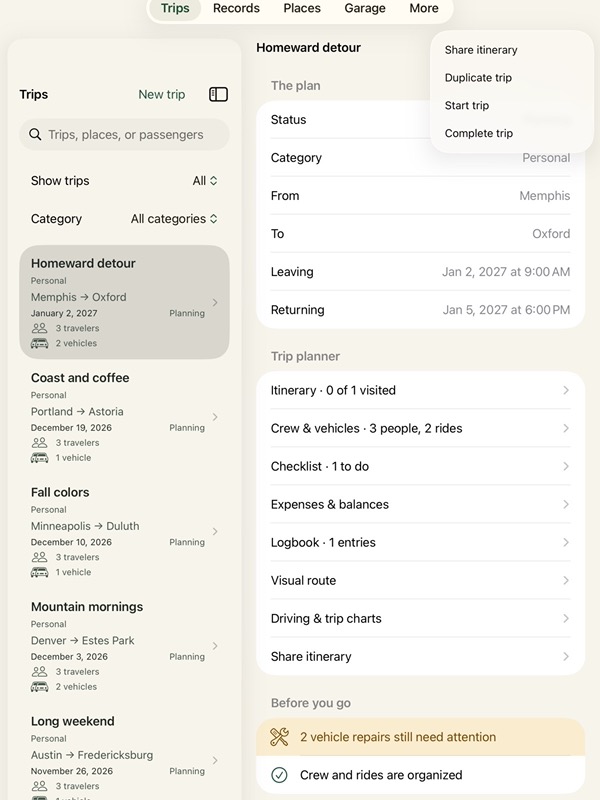
TRIP ITINERARIES AND CHECKLISTS
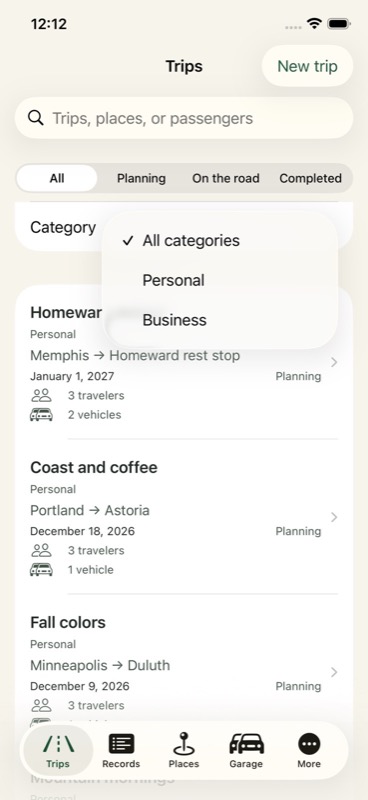
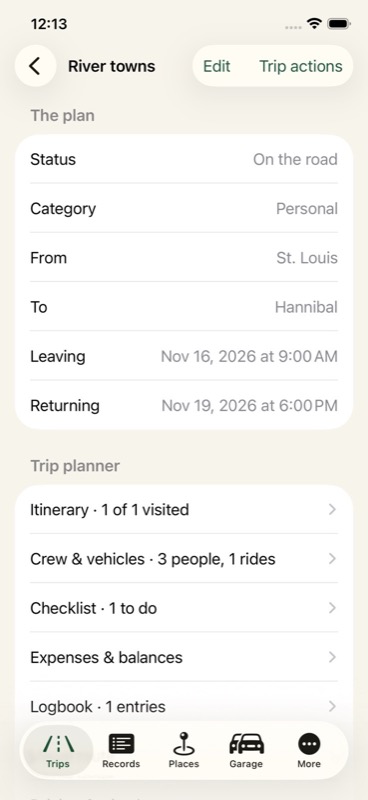
– Create trips with departure dates, return dates, a starting point, and a destination.
– Put stops in order and add arrival times, departure times, booking references, and notes.
– Keep a packing and preparation checklist with due dates and people responsible.
– Mark stops as visited and checklist tasks as complete.
– Duplicate an existing trip plan.
PASSENGERS AND VEHICLES
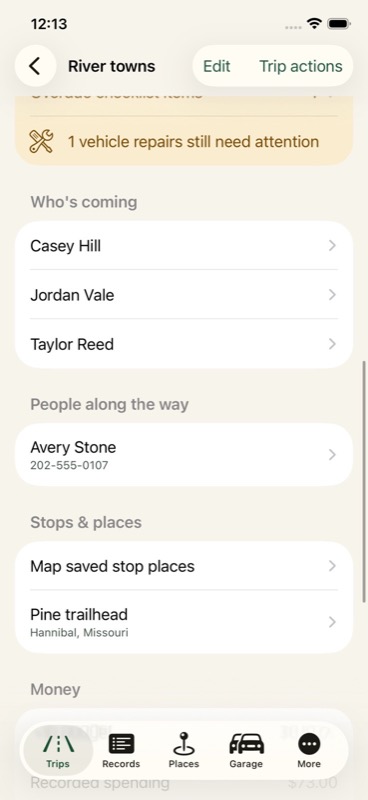
– Plan for several passengers and vehicles on the same trip.
– Choose who’s riding in each vehicle and who’s sharing the driving.
– Give contacts different jobs on each route leg, from pickup and luggage to carrying supplies or navigating.
– Assign a task to multiple people.
– Create a contact or vehicle while planning and include it in the draft you’re working on.
TRIP EXPENSES AND BALANCES
– Set a trip budget and record meals, lodging, parking, tolls, supplies, and activities.
– Record who paid and choose the people sharing each receipt.
– Review suggested balances for shared expenses.
– Include linked fuel purchases in trip spending without entering them twice.
– Keep receipts in their recorded currency. Fuel bought in another currency stays separate from the trip’s budget and balances.
– Leave an unfinished receipt as a draft until you have the details. Drafts stay out of spending totals.
SAVED PLACES
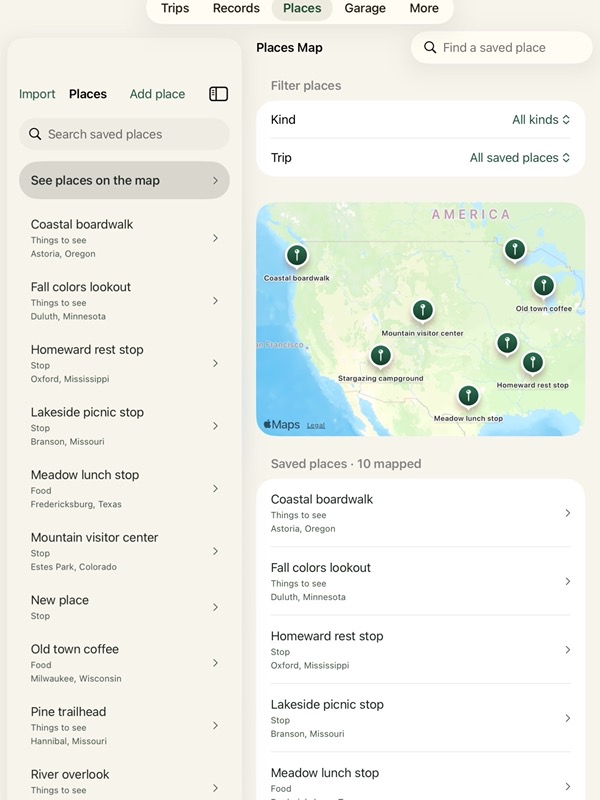
– Keep campgrounds, places to eat, sights, hosts, and service stops in Places.
– Search for a location or choose a point on the map.
– Filter saved places by trip, kind, or search text, then open driving directions in Apple Maps.
– Share a readable itinerary copy and choose whether names, notes, and booking details belong in it.
VEHICLE RECORDS
– Keep cars, RVs, and other travel equipment in your garage.
– Log fill-ups, fuel prices, odometer readings, full tanks, and partial fills.
– Review fuel economy from complete full-tank intervals.
– Track maintenance, repair estimates, completed work, and equipment notes.
– Record drives and dated notes in a trip logbook. Mileage uses each vehicle’s own units.
TRIP AND VEHICLE STATISTICS
– Search and filter full trip and garage statistics.
– Browse charts for spending, budget, distance, fuel, maintenance, stops, and preparation.
– Compare related records, including spending against logged distance and fuel quantity against price.
– Scroll longer histories, inspect exact values, and open the records behind a chart.
TRIP AND FUEL CALCULATORS
– Estimate fuel cost, cost per mile, and travel time with breaks.
– Convert MPG, km/L, and L/100 km.
– Check towing range, RV weight, packing balance, and overnight power needs.
– Estimate campground fees, food costs, park pass value, and an emergency budget buffer.
DISPLAY, SAVING, AND EXPORTS
– Use standard iPhone navigation and a split-view layout on iPad.
– Follow system appearance or choose Light or Dark.
– Save changes and continue editing the form.
– Export spreadsheets and backups of up to 10,000 records per transfer.
Start with 100 saved records free across trips, contacts, places, vehicles, receipts, and trip items. Optional monthly or lifetime Roadtrip Pro lets you save more. Existing records remain accessible if paid access ends.
For monthly subscriptions:
Monthly Pro is a 1-month auto-renewable subscription.
Terms of Use (EULA): https://www.apple.com/legal/internet-services/itunes/dev/stdeula/
App Store Screenshots
Latest App Store Release Notes
This release adds trip and vehicle navigation, shared assignments, location search, trip and garage charts, and updated currency handling.
TRIPS, VEHICLES, AND RECORDS
– Open a trip or vehicle and return to the same record with Back.
– Find your saved history and full statistics together in Records.
– Reach your saved places from their own Places tab.
– Use a split-view layout on iPad.
TRAVEL COMPANIONS AND ASSIGNMENTS
– Give several contacts a part in each leg of the trip, from driving and pickup to luggage, carrying, and navigation.
– Assign more than one role to a contact and change assignments by route leg.
– Assign a checklist task to multiple contacts.
– Create a companion or vehicle while planning and include it in the draft you are already working on.
– Keep the order of your crew and vehicles when you choose the same ride again.
– Find a trip from every vehicle taking part, including an additional car or camper.
MAPS AND SAVED PLACES
– Search for a place or address and select a result instead of typing coordinates.
– Choose a point on the map to save a location.
– Open saved places from their map pins and filter by name, kind, or trip.
– The app keeps the map pin and displays a message if it cannot find an address.
TRIP AND VEHICLE STATISTICS
– Open complete trip, garage, and vehicle statistics, then search the figures you want to check.
– Filter statistics by subject, currency, or recorded values, and choose miles or kilometers for supported displays.
– Browse individual chart subjects for spending, distance, trip progress, companions, places, maintenance, and fuel economy.
– Compare linked figures such as spending and logged distance, traveler counts and spending, or fuel volume and price.
– Read dates and entry labels below each chart, with more space around plotted lines and points.
– Scroll longer histories while keeping the chart key beside the graph, then open the records behind a value.
– Keep browsing while charts prepare, with clearer messages when a filter has no matching records.
CURRENCY, DRAFTS, AND ODOMETER READINGS
– Choose the actual currency for a linked fuel receipt, including purchases made across the border.
– Change a receipt’s trip without losing its payer, sharing choices, amount, or saved currency.
– Keep different currencies separate in your totals, with no automatic exchange rate applied.
– Keep unfinished fuel and expense records out of spending and fuel economy until they are completed.
– Keep the units beside an open draft’s readings consistent. If a vehicle’s units change elsewhere, your entries stay available for review.
– See the latest odometer from matching fuel and logbook readings, with notes kept separate from recorded mileage.
IMPORTS, EXPORTS, AND DISPLAY
– Retry a prepared import after a limit or save problem without choosing the file again while that screen stays open.
– Try saving a prepared export to another Files location after a canceled or failed save.
– Keep an open draft available if its saved record is deleted elsewhere, with a clear explanation before you try to save.
– Choose System, Light, or Dark appearance and use text that follows your preferred reading size.
The app retains calculators for fuel costs, travel time, trip budgets, fuel economy, camping, RVs, and towing.
App Store Information
- App Store category: Travel
- Genres: Travel, Utilities
- Availability: Free
- Current version: 10.1
- Requires: iOS 17.6 or later
- Content rating: 4+
- Last updated: 2026-11-22