
About this app
A good card, a lucky roll and a smart move can turn a rough room into a great story. NEONNET is a cyberpunk roguelike deck builder that mixes tactical card battles, dice and dungeon exploration with a retro terminal’s charm.
You are an operator working through a troubled network, choosing who to trust and what to do with the records you recover. Expect hostile robots, useful contacts, credit caches and the occasional room name that deserves an eye roll.
ROLL, EXPLORE, REPEAT
– Roll a movement die, study the map and choose your route.
– Explore a board of 36 rooms with robots, rewards, story encounters and services.
– Enter STARX3 for compact 3 x 3 rooms connected by short, two-tile passages.
– Spend your saved movement roll across legal grid steps, with remaining steps carried between taps.
– Keep an eye on health and Credits while your next hand waits below the dungeon.
– Switch between STARX2 and STARX3 while continuing the same adventure.
BUILD A DECK THAT SUITS YOU
– Choose from Packet Striker, Signal Intruder, Firewall Runner and Daemon Tinker starter styles.
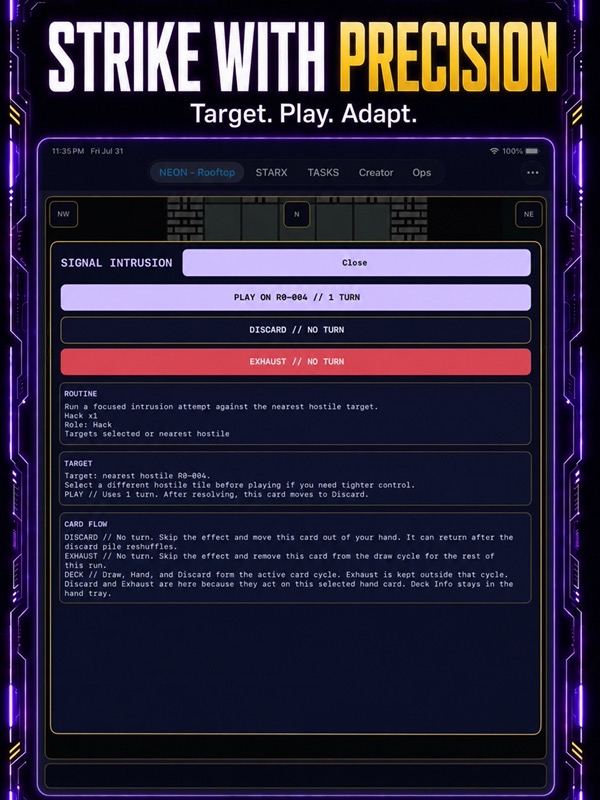
– Play attack, hacking, defense, draw and daemon cards.
– Check each card’s dice requirement before committing.
– Weigh the cost of a card that returns through the discard pile against one that exhausts for the run.
– Pick card rewards or take Credits when the room offers a choice.
– Inspect your hand, draw pile, discard pile and exhausted cards in Deck.
– Browse the Card Library for effects, dice rules and ways to find cards.
PICK YOUR BATTLES
– Face room guards with card tactics, basic attacks or hacks.
– Choose a safe retreat when an encounter is better left behind.
– Visit the clinic for healing and room services.
– Take guaranteed salvage when you need a dependable reward.
– Try the optional Coin Door, where you can bank the pot or push your luck.
– Think through the next turn at your own pace.
A STORY WITH PEOPLE TO REMEMBER
– Set your motive and starting contact before your adventure begins.
– Recover a blackout record and decide how its story should end.
– Meet Patchwife, Mirror and Lattice, each with different interests in the network.
– Make choices about service, evidence and who receives the recovered record.
– Follow objectives and revisit your decisions in the Journal.
– Continue through three story chapters as your run develops.
RETRO STYLE, PRACTICAL CONTROLS
– Enjoy pixel characters, robot artwork and a terminal-inspired atmosphere.
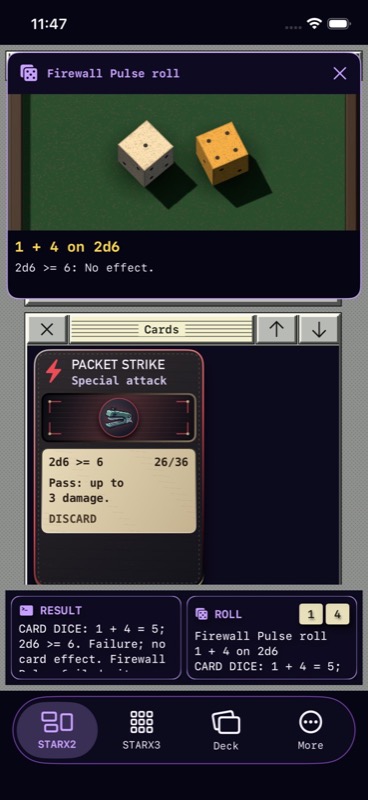
– Watch gameplay dice throw, bounce and settle on the result of your action.
– Read the roll and outcome in a compact result popup.
– Open the log for the full story behind a short notification.
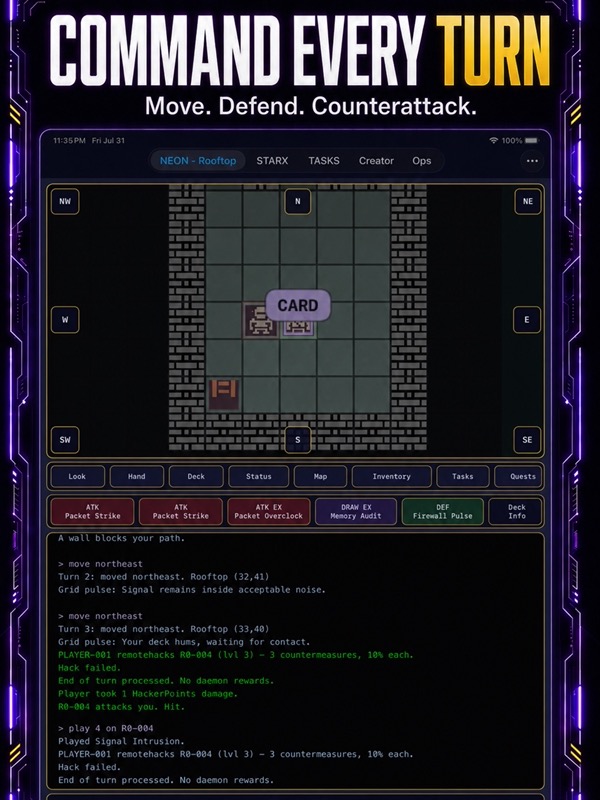
– Bring up the command terminal to type your next action.
– Use the separate Dice Tray for practice throws without spending a gameplay turn.
– Adjust music, haptics and motion to suit the way you play.
MAKE THE NEXT RUN YOURS
– Create your operator through Identity, Look, Deck, Story and Review.
– Pick your appearance and check your choices before starting.
– Save named adventures and return to unfinished business.
– Keep earlier grid adventures available alongside newer board runs.
– Find reference screens, settings and extra tools in More.
NEONNET is a good fit for players who enjoy turn-based strategy, dungeon crawlers, card games and fictional hacking adventures. There is time to inspect a room, change your plan and enjoy the small victories: a guard outplayed, a useful card found or a risky pot banked at exactly the right moment.
Optional purchases unlock extras including autosave and save export through the Floppy Save Kit.
Pick a deck, roll for the next room and outsmart the network.
App Store Screenshots
Latest App Store Release Notes
Your curiosity and careful choices are a great fit for NEONNET. Thank you for playing and making time for the app. This update brings a new way to explore, clearer cards, and dice you can watch land.
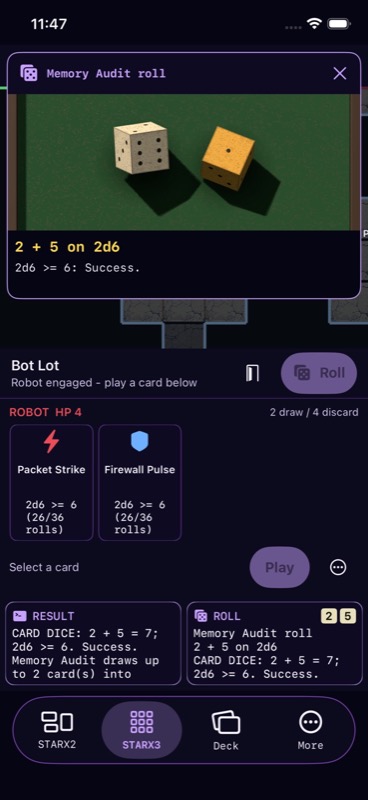
– Meet STARX3, a new dungeon view alongside STARX2. Health and status stay at the top, your cards sit below, and the dungeon gets the space between them.
– STARX3 leaves out the desktop subwindows. Keep the map in view while choosing your next move or card.
– Choose the compact dungeon to explore 3×3 rooms connected by short, two-square passages. Every step follows the floor, with walls and encounters shaping your route.
– Roll once, then spend that movement allowance across several taps. Each grid step counts, and the same die stays with you until the allowance ends.
– Unresolved required rooms and hostile robots stop your movement. Deal with what is in front of you before pushing farther.
– Movement tactics work with your saved roll. Once you take the first step, your tactic stays locked until that movement ends.
– End a partly spent movement allowance early if you want to stop. Remaining steps are left behind.
– Switching between STARX2 and STARX3 keeps you in one shared adventure.
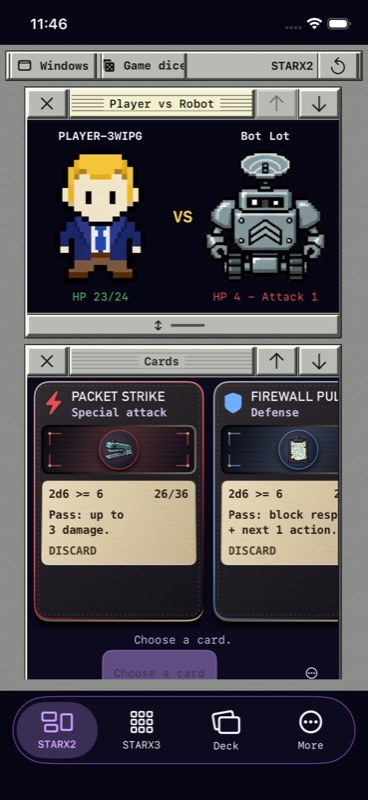
– STARX2 still offers its adjustable windows for the board, cards, optional dice, and game log.
– New board adventures have 36 named rooms, including credit caches, robot guards, and story and service rooms. Look out for Loot Boot, Doom Room, and Blame Frame.
– In STARX2’s room board, roll and tap a reachable destination. The room you land in is the one you resolve.
– Pan the map, inspect a room, and check the movement cost before choosing where to go.
– Gameplay dice now get a brief physical throw and bounce before showing your roll’s result.
– The dice display follows the result you are reading. Reopening saved movement or chance dice shows that roll again.
– Dice messages are shorter: the recorded roll and the outcome stay together without repeating the instructions.
– Reduce Motion shows the recorded faces straight away.
– Practice dice remain available in the Dice Tray, separate from your adventure.
– Card rules have more room for the required roll and the number of successful outcomes.
– STARX3 keeps physical card sizes consistent across hand pages, including the last few cards.
– Selected-card explanations wrap so you can read the action before committing.
– STARX2 cards keep their playing-card proportions with larger text. Longer rules scroll inside the card.
– The Card Library lets you compare card roles, dice requirements, cards you own, and where to find them.
– Deck keeps your hand, draw, discard, and exhaust piles available for inspection.
– Open the log or terminal in a sheet that slides up from the bottom. Pull the sheet higher to read more, then swipe it down or tap Done to return.
– STARX3 result cards slide from left to right along the bottom. The full message stays in the log when you want to review it.
– Room choices bring rewards, services, story decisions, and chance actions together in a popup.
– The main bar now has STARX2, STARX3, Deck, and More.
– Start a new character through New game. Choose Identity, Look, Deck, and Story, then review your choices before starting the adventure.
– Your current adventure stays available while you work on that new character.
– Find your character tools, journal, terminal, settings and other utilities in More.
– Journal and Objectives show the next available step alongside your progress and earlier decisions.
– Earlier adventures keep their original layouts and movement rules. Compact dungeon saves also retain your location, die, remaining steps, and reserved tactic.
App Store Information
- App Store category: Games
- Genres: Games, Card, Entertainment, Roleplaying
- Availability: Free
- Current version: 2.5
- Requires: iOS 17.6 or later
- Content rating: 12+
- Last updated: 2026-10-19
Developed by Verosocial. App details can change; verify the current App Store listing before publication.