
About this app
Keep lacrosse player stats, team results, live scoring, tactics, contacts, and season reports together on iPhone and iPad. Start with one player or follow a roster through the season.
Record the game
– Log an individual field player or goalkeeper.
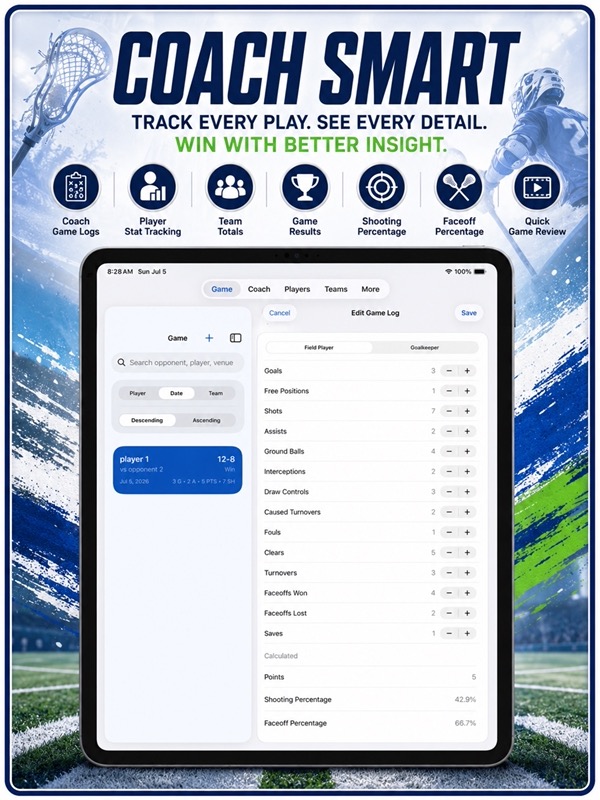
– Use Coach to enter several player stat lines for one game.
– Keep team scorebooks with opponents, dates, venues, scores, results, and notes.
– Record overtime, tiebreak finishes, scoring events, and infractions.
– Search saved games by opponent, player, or venue.
– Reopen records to finish details or correct an entry.
Player and goalkeeper statistics
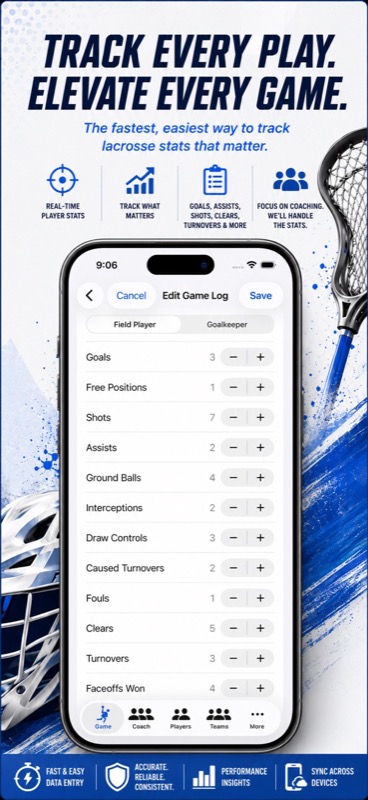
– Count goals, assists, shots, and free-position chances.
– Record ground balls, draw controls, caused turnovers, clears, and turnovers.
– Follow faceoffs won and lost, with faceoff percentage.
– Track goalkeeper saves, shots faced, goals allowed, minutes, and shutouts.
– Review points, shooting percentage, save percentage, and goals-against average.
– Add notes about rides, clears, player roles, and lessons for practice.
Score live from the sideline
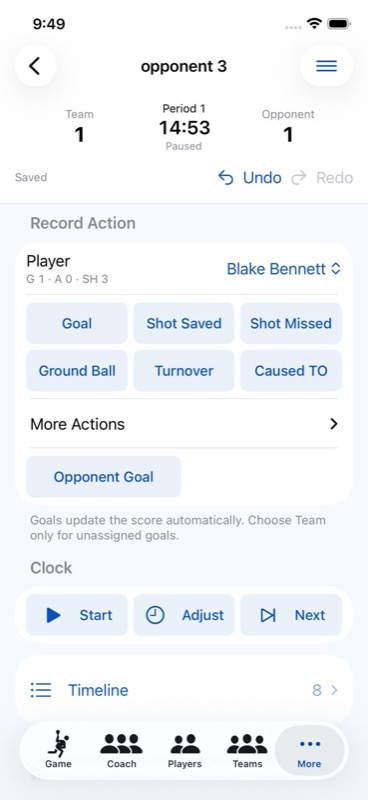
– Open Live Scoring from Game or Coach.
– Choose New Live Game, select your tracked players, and save the setup.
– Set the periods, period length, and starting score.
– Use the clock and player action buttons as play unfolds.
– Undo or redo an action and review the event timeline.
– Reopen saved live history when you need it.
Live totals remain provisional and separate from your saved match statistics, so you can review your work before changing the official record.
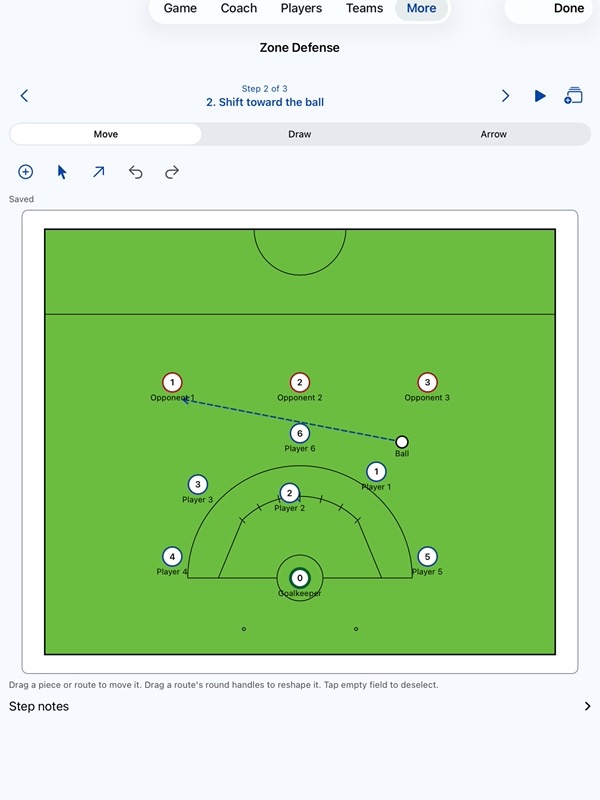
Plan with a lacrosse tactics board
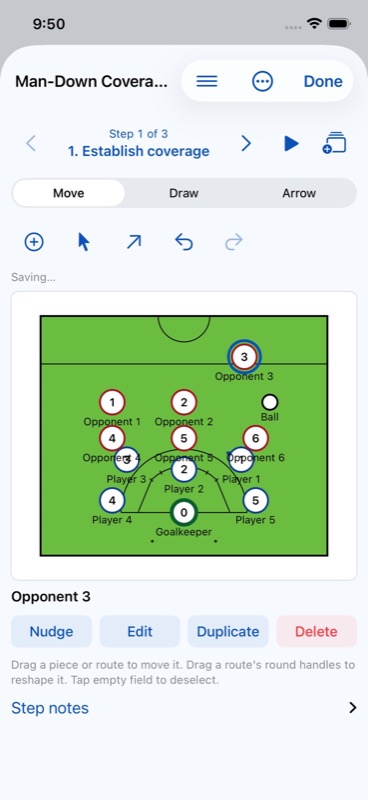
– Begin with a blank field or a coaching template.
– Arrange players, opponents, goalkeepers, balls, and cones.
– Draw runs, passes, shots, and freehand markings.
– Build a sequence of steps with coaching notes.
– Preview the steps, duplicate a play, and use Undo or Redo while editing.
– Prepare a tactics PDF or add plays to a game-day packet.
Keep your season organized
– Save player profiles with jersey numbers, positions, hand, photos, and notes.
– Group players into teams with logos, short names, home fields, and seasons.
– Keep one or several local contacts for a player or team.
– Set a primary contact, reorder secondary contacts, or swap their priority.
– Enter contacts manually or review a selected Apple contact before saving a local copy.
– Record awards with dates, notes, and images.
Review your season
– Compare player, team, and season leaders.
– Explore charts for scoring, goal margin, possession, efficiency, and goalkeeping.
– Follow game-by-game trends instead of relying on one result.
– Open stat sheets and prepare game PDF reports.
– Share summaries with the people you choose.
Scorebook settings and exports
– Browse lists and details side by side on iPad.
– Choose System, Light, or Dark appearance.
– Export CSV files for spreadsheets.
– Create a JSON backup and import supported backups without clearing your current records.
– Keep records locally and decide when to share or back them up.
On Apple Watch, use a separate local scorebook for individual and coach logging and live scoring, with saved games and drafts you can return to.
For monthly subscriptions:
Monthly Pro is a 1-month auto-renewable subscription.
Terms of Use (EULA): https://www.apple.com/legal/internet-services/itunes/dev/stdeula/
App Store Screenshots
Latest App Store Release Notes
This update changes live scoring setup, contact management, stats and backup imports.
Start live scoring from Game and Coach
– Find a Live Scoring entry in both tabs.
– Choose New Live Game to set up an individual or coach session.
– Use Save & Continue to move from the game form into live setup.
– Open live scoring from a saved game’s details to start or resume its session.
– If a game needs player rows, Choose Tracked Players takes you to that game’s editor.
Live scoring controls
– Set your period count, period length, and starting score before play.
– Record goalkeeper ground balls, turnovers, and caused turnovers alongside saves and goals allowed.
– Failed reloads now clear outdated scoring controls and show a recovery message.
– Games with saved live history keep their tracked players and roles protected when you edit other details.
Live totals are still provisional. They do not automatically replace the match statistics you have saved.
Record layouts and navigation
– Browse compact rows in Stats, player and team details, Awards, Help, About, and Pro.
– Keep player photos and team logos close to their editing actions.
– Move through More with straightforward navigation on iPad.
– Keep Game and Coach lists beside the selected record in the iPad detail view.
– Open selection screens and related forms without losing the game you are working on.
Primary and secondary contacts
– Link one or several contacts to a player or team.
– Keep one primary contact and an ordered list of secondary contacts.
– Move a contact up or down, make it primary, or swap two contacts.
– Share a local contact across profiles, with a separate priority for each.
– Review selected Apple contact details before keeping a local copy.
– Keep your local contact when a player or team is removed.
Stats and charts
– Key rates and Stats destinations use compact rows.
– Game charts keep consistent labels when games share a date.
– Charts & Insights handles duplicate entries in older scorebooks more reliably.
– Refresh problems appear with a Try Again action, while your previous chart view remains available.
– Coach sidebar previews now clear when you select a different game.
Changes to record editing
– Adding, editing, or deleting an infraction leaves the scoreboard and scoring totals alone.
– Older goal entries keep their saved secondary-assist details during edits.
– If a record has been removed, its old editing screen now directs you back to the list.
– Player photos, team logos, and award images use smaller previews in lists.
Backup validation
– Updated records in a backup are no longer silently skipped when their saved details differ.
– Imported games stay connected to the correct players, teams, and seasons.
– If imported stats conflict with a saved game, you get a clear message and your existing records stay intact.
– Problematic backup values now produce an explanation instead of closing the app.
– Exact duplicate content is still skipped, and imports keep unrelated records already on your device.
For Apple Watch users
– Tactics balls now appear at their saved positions.
– Safer deletion helps protect a saved watch game and its draft if storage interrupts the process.
– The standalone watch scorebook continues to keep its own local games and drafts.
App Store Information
- App Store category: Sports
- Genres: Sports, Utilities
- Availability: Free
- Current version: 6.3
- Requires: iOS 18.6 or later
- Content rating: 4+
- Last updated: 2026-11-11