
About this app
Thank you for using Financial Calcs. Taking time to understand your money is a smart habit, and we appreciate the care you put into your decisions. When you are weighing a mortgage, checking a loan payment or working out hourly earnings, start with clear numbers.
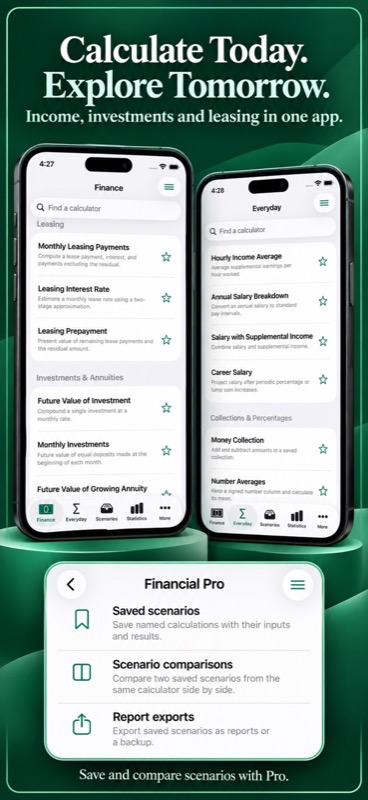
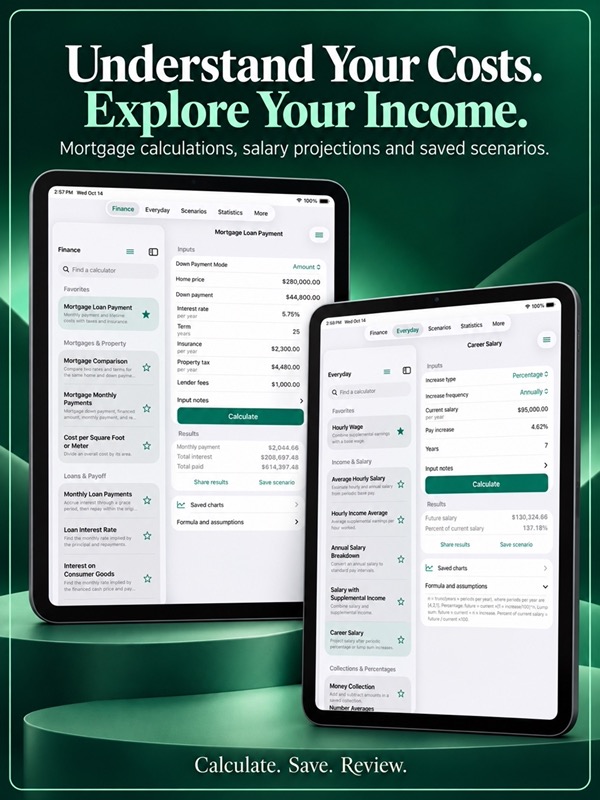
Financial Calcs brings 42 financial and everyday calculators to iPhone and iPad. Explore 25 Finance tools and 17 Everyday tools, with clear inputs and formula explanations.
Mortgage and loan calculators
– Estimate mortgage payments from the amount, interest rate and term you enter.
– Compare mortgage options and see how a different rate or term changes the result.
– Calculate monthly loan payments and payoff periods.
– Explore extra payments and loan prepayment to plan a payoff.
– Calculate loan interest, consumer goods interest and cost per square foot.
– Check lease payments, leasing interest and lease prepayment estimates.
Savings, investments and discounts
– Calculate the future value or present value of an investment.
– Explore monthly investments and growing annuity calculations.
– Explore interest rates and investment periods.
– Calculate price discounts, simple discounts and effective discount rates.
– Use bill discounting and discounted cash flow tools.
Everyday money, work and travel
– Check base hourly salary, hourly wage and average tip income.
– Explore annual salary, supplemental earnings and career salary estimates.
– Add or subtract money entries and use the total in supported income tools.
– Find number averages and explore eight percentage methods.
– Work out time differences, including overnight periods.
– Add signed time entries and calculate time ratios or a percentage of a duration.
– Estimate commute duration, fuel cost per mile and relative fuel costs.
Keep useful calculations close
– Search calculator names and descriptions.
– Mark Favorites so the tools you use most stay at the top.
– Return to your last entered values on the same device.
– Share calculated results with their inputs and assumptions.
– Open Help, Share, Reset and Randomize from the screen menu.
– Try hypothetical inputs with Randomize.
– Choose light, dark or system appearance and a currency display symbol.
Save and compare with Financial Pro
Financial Pro includes unlimited calculations, named saved scenarios, comparisons and backup tools on iPhone and iPad. Choose a monthly subscription or a one-time lifetime purchase for the same features.
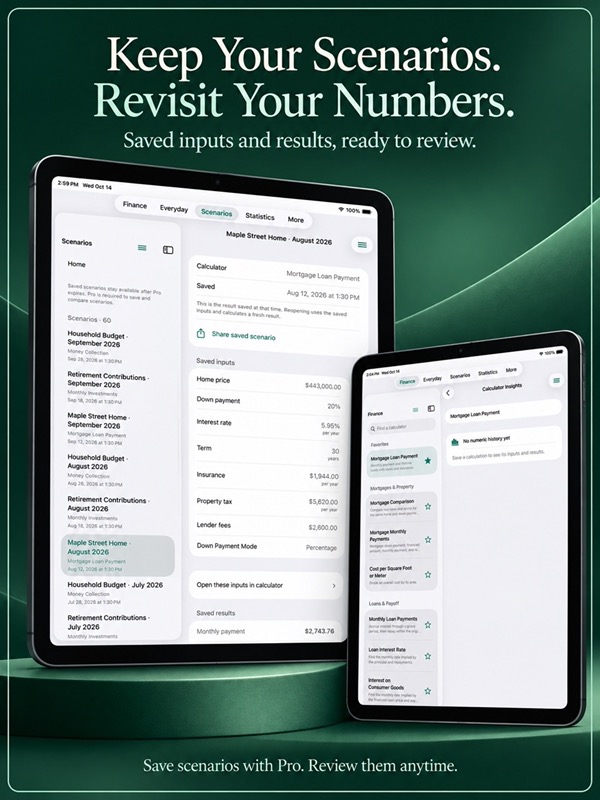
– Save the inputs and results you want to revisit.
– Compare two saved scenarios from the same calculator.
– Review saved history, charts, distributions and individual statistics.
– Explore relationships between saved values.
– Export CSV reports for spreadsheets or JSON files for backups.
– Import a compatible JSON backup to restore saved records.
– Keep reading and sharing existing saved scenarios if Pro expires.
Learn at your own pace
Browse 36 reference articles covering financial foundations, education, careers, stocks, bonds and precious metals. Bundled guides and calculator formulas are available offline, with links to official sources.
– Set an optional weekly practice goal.
– Check in when you choose.
– Review activity charts and earned milestones.
– Pause tracking or reset practice history without deleting saved scenarios.
On Apple Watch, use the same 42 calculators with local saving and sharing included. Inputs and saved scenarios stay on the device where you create them.
For monthly subscriptions:
Monthly Pro is a 1-month auto-renewable subscription.
Terms of Use (EULA): https://www.apple.com/legal/internet-services/itunes/dev/stdeula/
App Store Screenshots

Latest App Store Release Notes
Thank you for using Financial Calcs. Your thoughtful approach to money deserves practical tools, and we appreciate your support. This update brings clearer navigation, saved calculation charts and an updated free calculation allowance.
Five days to try Financial Calcs
– On iPhone and iPad, use five calculations per day for five consecutive calendar days, starting with your first successful calculation.
– Failed calculations, opening a calculator and editing inputs do not use your allowance.
– Monthly or Lifetime Financial Pro includes unlimited calculations and saved-scenario tools.
A clearer place for each task
– Browse Finance, Everyday, Scenarios, Statistics and More from their own tabs.
– Go straight to Statistics for charts and summaries of saved scenarios.
– Find Practice & Habits, Import / Export, Reference, Help and Settings in More.
– The duplicate Statistics entry has been removed from More.
Find your calculator sooner
– Finance tools are grouped into Mortgages & Property, Loans & Payoff, Leasing, Investments & Annuities, and Discounts & Valuation.
– Everyday tools are grouped into Income & Salary, Collections & Percentages, Time & Schedules, and Travel & Fuel.
– Search calculator names and descriptions.
– Keep favorite calculators at the top with the star.
– Browse 42 calculators, including 25 Finance tools and 17 Everyday tools.
More useful saved history
– Save a named scenario with its original inputs, options and results using Financial Pro.
– Review the inputs and assumptions in a saved record.
– Reload saved inputs to explore another possibility.
– Compare two saved scenarios made with the same calculator.
– Share a saved calculation as a report.
Charts that explain your numbers
– Open charts for a calculator’s saved inputs and results.
– Review history, running averages and distributions.
– Explore relationships between matching values in saved scenarios.
– Open individual statistics to read what they mean.
– See clear messages when there is no numeric history yet or a chart uses a limited set of records.
Helpful actions while you work
– Open Help, Share, Reset and Randomize from the top-right menu.
– Try hypothetical inputs with Randomize. Successful results use one calculation.
– Share calculated results with the values and assumptions used.
– Reset the current form when you want to start again.
– Dismiss the keyboard with Done or by tapping outside an editable field.
– Choose a left or right keypad position for supported entry columns.
Money and time entries
– Add positive or negative money and number entries.
– Use Money Collection totals in supported earnings calculators, or enter an override.
– Add signed time entries in seconds, hours:minutes:seconds or days:hours:minutes:seconds.
Reference and optional practice goals
– Browse 36 searchable articles on financial education, foundations, careers, stock markets, bond markets and precious metals.
– Read bundled guides offline and follow official source links.
– Set a weekly practice goal and make a voluntary daily check-in.
– Review activity charts and milestones in Practice & Habits.
– Pause tracking or reset practice history while keeping saved calculations.
Backups, appearance and Apple Watch
– Use Financial Pro to export CSV reports and import or export compatible JSON backups.
– Choose system, light or dark appearance.
– Set the currency symbol used for display.
– On Apple Watch, open the Actions sheet for Help, Share, Reset and Randomize where available.
– Watch calculations, saving and sharing are included, with records stored on the watch.
Your inputs and saved scenarios stay on your device. Thank you for the care you bring to your calculations.
App Store Information
- App Store category: Finance
- Genres: Finance, Business
- Availability: Free
- Current version: 8.4
- Requires: iOS 17.6 or later
- Content rating: 4+
- Last updated: 2026-10-17
Developed by Verosocial. App details can change; verify the current App Store listing before publication.