
About this app
Construction provides calculators for measurements, material planning and estimates for trade work or home repairs.
Use 56 calculators, a construction keypad and seven conversion categories on iPhone, iPad and Apple Watch.
MEASUREMENTS AND CONVERSIONS
– Work in feet, inches, fractions, yards, meters, centimeters and millimeters.
– Choose fraction display precision from 1/2 inch through 1/64 inch.
– Show decimal feet or inches at your preferred precision.
– Calculate lengths, areas and volumes with matching dimensional units.
– Convert length, area, volume, flow, pressure, temperature and density.
– Convert decimal degrees to degrees, minutes and seconds, or back again.
MATERIAL ESTIMATES
– Plan concrete slabs, circular pads, piers, footings and concrete bags.
– Estimate asphalt quantities using depth, area and material density.
– Work out brick, block, drywall, siding, paneling, roofing and paint needs.
– Compare 4 x 8, 4 x 9 and 4 x 12 panel coverage for your measured area.
– Calculate lumber volume in board feet or metric cubic units.
– Estimate wall studs from spacing, wall length and extra framing allowances.
– Apply unit prices and waste allowances to a cost estimate.
ROOF AND STAIR LAYOUT
– Solve pitch, rise, run and diagonal measurements for a right triangle.
– Check common rafters, hip and valley rafters, jack rafters and unequal pitches.
– Review rafter cutting angles, compound miters and crown spring angles.
– Plan equal stair risers, tread runs, stairwell openings and headroom.
– Find stud heights for straight rake walls and arched rake walls.
– Work with circles, arcs, sectors, regular polygons, columns and cones.
– Use sine, cosine, tangent and inverse trigonometric functions.
CALCULATOR CONTROLS
– Read a short description beneath each calculator name.
– Search by tool, measurement or task, then star your favorites.
– Choose US Units or Metric for form calculator inputs and results.
– Keep separate unit controls on the Home construction calculator.
– Swipe function rows to bring alternate buttons into view.
– Use four independent memories, backspace, CE and AC controls.
– Recall or share the last 50 Home results while the app is open.
RECORDS AND SHARING
– Save calculator inputs and results in Records on iPhone and iPad.
– Add equipment records and keep notes with each item.
– Edit saved entries, search your records and share results with others.
– Swipe left on a record cell to reveal Delete, or swipe fully left to remove it.
– Explore saved work by calculator, equipment type, date and completion status.
– Export CSV for spreadsheets, or save and restore a JSON backup.
HELP AND EXAMPLES
– Follow 20 common construction and technical formula examples.
– Follow button names, units and worked answers.
– Load editable sample data to learn a calculator before entering your own job.
ON IPAD AND APPLE WATCH
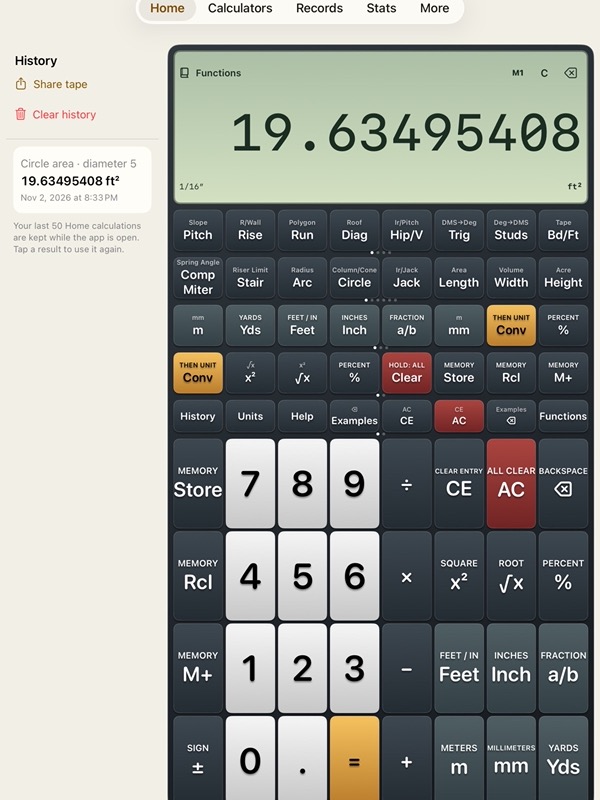
– Keep iPad Home history beside the calculator with eight buttons per row.
– Use the independent Watch app with one save per calculator, separate from phone records.
All calculators are included. Free iPhone and iPad access includes 30 saved calculations and five equipment records per type. Construction Pro removes both saving limits, with monthly or lifetime access.
Monthly access renews until canceled. Restore purchases or manage your subscription from Pro. Lifetime access does not cancel an existing monthly subscription. Existing records remain available when Pro access ends.
Monthly Pro is a 1-month auto-renewable subscription.
Terms of Use (EULA): https://www.apple.com/legal/internet-services/itunes/dev/stdeula/
Check measurements, product coverage and project requirements before ordering.
App Store Screenshots
Latest App Store Release Notes
This update changes calculator layouts, tool navigation, unit controls, help and records.
HOME CALCULATOR
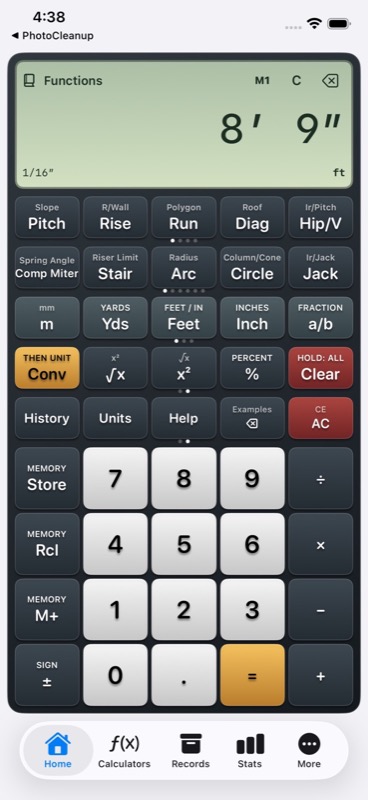
– Four compact function rows keep construction keys above the number pad.
– Swipe a function row to bring its alternate buttons forward, such as square and square root.
– Long results can use two lines on iPhone and three lines on iPad.
– CE clears the current entry, while AC starts fresh. Backspace lets you correct a digit.
– Swipe left on the result to remove the last entered digit.
– Select any of four independent memories for storing, adding and recalling values.
IPAD WORKSPACE
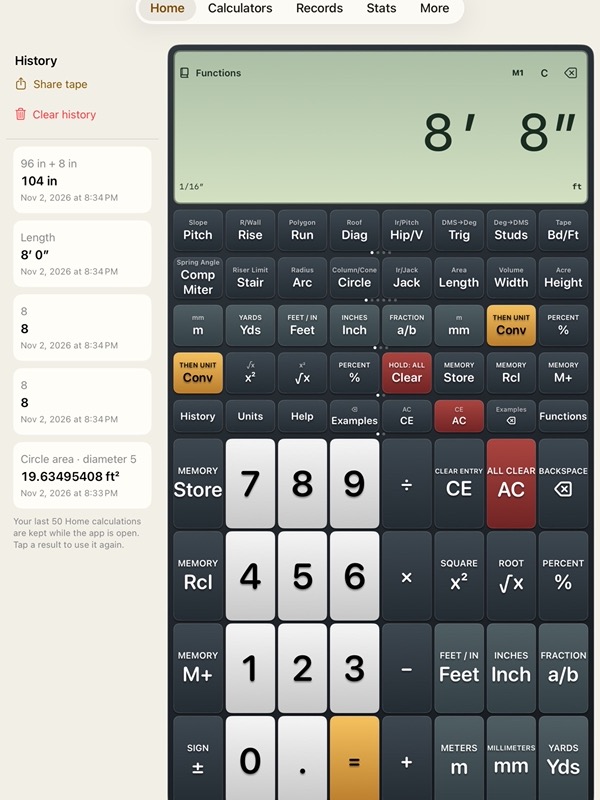
– History stays beside the calculator so you can compare earlier results without leaving Home.
– Eight buttons across each row provide access to more functions.
– Recall a Home result with its measurements and pending calculation.
– Review and share the paperless tape. Home history keeps the latest 50 results while the app stays open.
CALCULATOR NAVIGATION
– Browse 56 calculators for materials, layout, geometry and technical work.
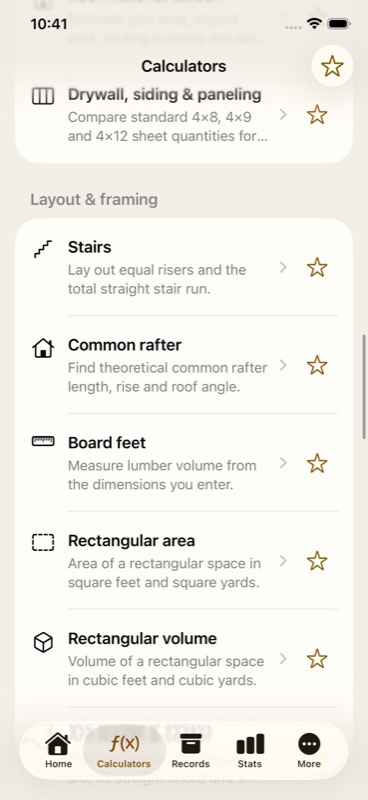
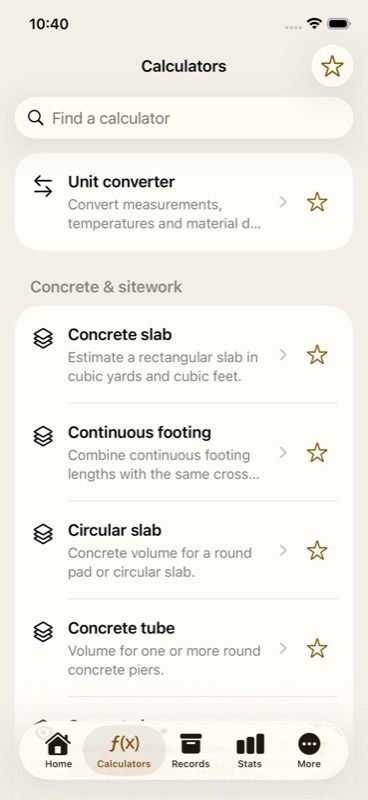
– Read a short description below each calculator’s name before opening it.
– Tap a star to save a favorite, then use the star filter to find it again.
– Search for a calculator, measurement or construction task.
– Open dedicated tools for stairs, rafters, hip and valley roofs, jack rafters, rake walls and crown molding.
UNIT CONTROLS
– Choose US Units or Metric for detailed calculator inputs, examples and results.
– Keep Home’s unit controls independent for mixed measurements.
– Convert length, area, volume, flow, pressure, temperature and material density.
– Choose fractional inch precision from 1/2 through 1/64 inch.
– Use decimal feet or decimal inches and select your displayed decimal places.
HELP AND EXAMPLES
– Read instructions with revised spacing, numbered steps and highlighted button names.
– Follow 20 common construction and technical formulas with worked examples.
– Search the complete Home function reference and examples.
– Open each calculator’s three-line menu for Help, Share, Reset and Sample data.
– Load sample measurements, change the values and calculate your own result.
RECORDS
– Save detailed calculator inputs and results together on iPhone and iPad.
– Edit saved calculations and equipment records, with changes saved automatically.
– Return to unfinished edits while the app remains open.
– Swipe left on a record cell to reveal Delete, or swipe fully left to delete directly.
– Delete from Records or a statistics record list without removing neighboring records.
– Search saved work and explore totals by calculator, equipment type, date and completion status.
– Export CSV files for spreadsheets, or review a JSON backup before importing it.
INTERFACE AND PURCHASE OPTIONS
– Dismiss the keyboard with Done or by tapping the background.
– Use consistent warm concrete colors, graphite in dark mode and amber accents.
– Open tappable contact and reference links in About and Help.
– Review Pro purchase options directly below its short introduction.
– Close a Pro sheet with Done and return to your work.
All calculation tools remain included. Free saving allows 30 calculation records and five equipment records per type. Monthly or lifetime Construction Pro removes those saving limits. Restore purchases and subscription management remain available.
Check measurements before using an estimate.
App Store Information
- App Store category: Utilities
- Genres: Utilities, Productivity
- Availability: $0.99
- Current version: 8.0
- Requires: iOS 18.6 or later
- Content rating: 4+
- Last updated: 2026-11-03
Developed by Verosocial. App details can change; verify the current App Store listing before publication.