
About this app
Thank you for using Basketball+ to keep the effort on the court in focus. You give basketball your time and attention, and that dedication deserves a useful record. For coaches, players, parents and team managers, Basketball+ brings game stats, player history and season notes together on iPhone and iPad.
KEEP THE BOOK YOUR WAY
• Track one player’s performance with an Individual game log.
• Use Coach scorebooks to keep several player stat lines in one shared game.
• Record points, assists, steals, blocks, turnovers and fouls.
• Keep offensive and defensive rebounds separate.
• Enter 2-point shots, 3-pointers and free throws with makes and attempts.
• Add opponents, results, positions, dates, notes and game photos.
• Find saved games with search, sorting and filters.
FOLLOW THE ACTION
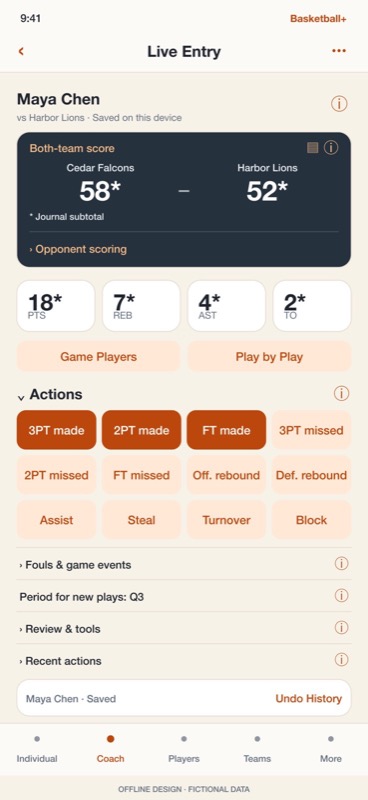
• Record made and missed shots, rebounds and other plays in Live Entry.
• Check the selected player before recording the next action.
• Use Undo and History to review or correct recorded plays.
• Follow saved events in Play by Play with recorded period labels.
• Record opponent baskets in the shared score journal.
• Review scoring coverage before treating a journal subtotal as a full team score.
• Add optional shot locations to see where recorded attempts came from.
• Track a player’s on-court intervals and review uncertain time separately.
SEE MORE IN YOUR STATS
• Review box scores and compare player, team and season performance.
• Follow scoring trends and explore highs, lows and shooting percentages.
• Team shooting percentages use total makes and attempts for a fair calculation.
• Open Sheet for a wider table, sortable records and your choice of columns.
• See which saved records need a tracking review, with steps for updating them.
• Keep partial tracking, no attempts and Did not play clearly distinguished.
PLAN THE NEXT PLAY
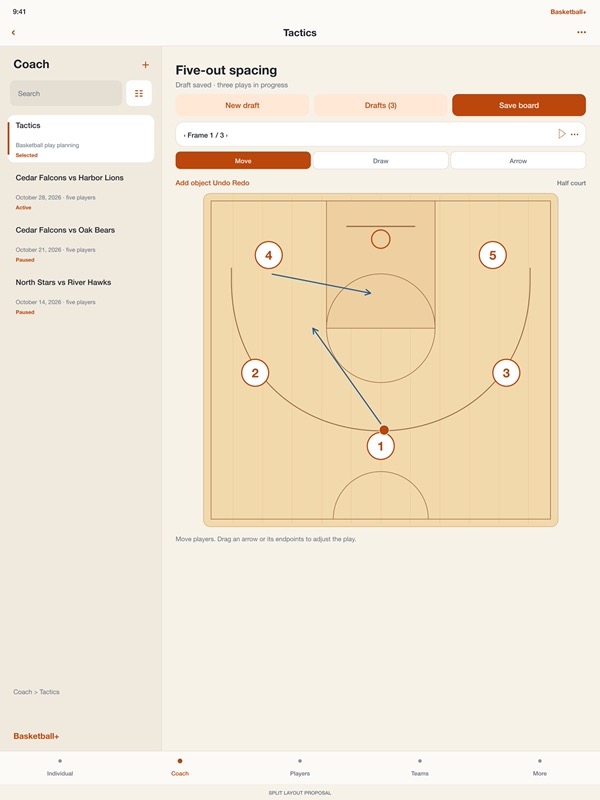
• Open the basketball tactics whiteboard from Coach.
• Move player pieces and draw movement or passing arrows on the court.
• Drag arrows and their endpoints directly to adjust a play.
• Arrange frames to explain spacing, screens and defensive rotations.
• Keep several tactics drafts and return to different ideas as plans change.
• Save named boards and use separate board files to share your plans.
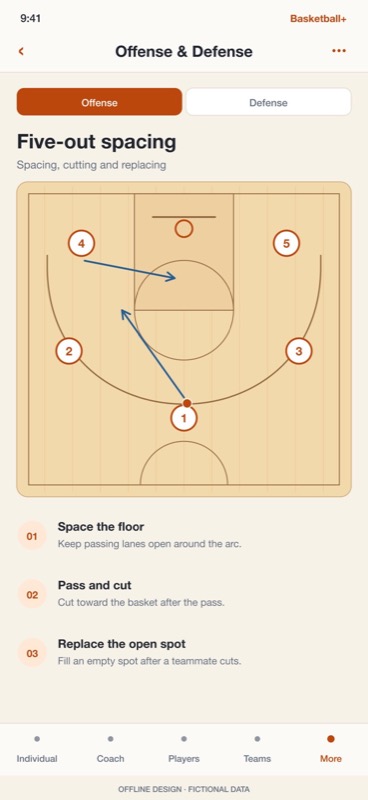
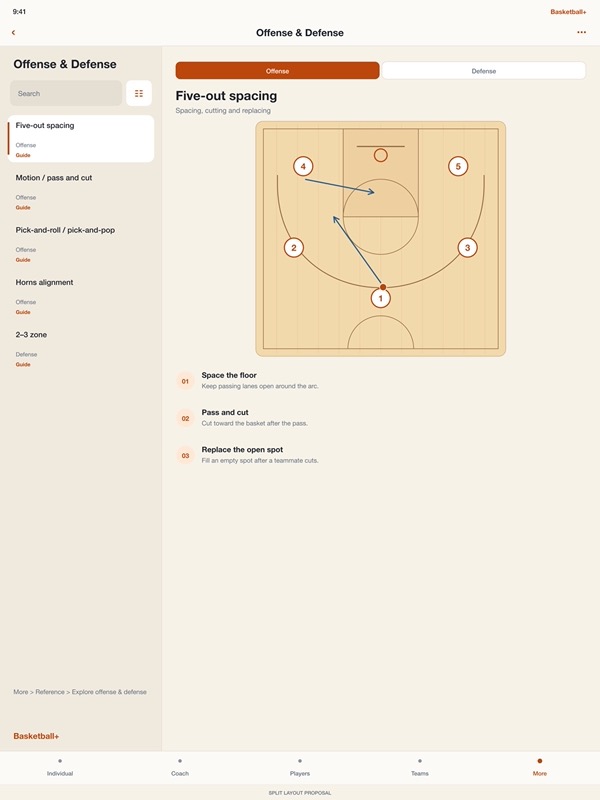
• Browse illustrated offense and defense references for common basketball systems.
KEEP THE SEASON TOGETHER
• Build player profiles with portraits, birthdays and notes.
• Organize teams, seasons and awards alongside your game records.
• Keep a shared contact library and attach contacts to players or teams.
• Reuse saved opponents when setting up another game.
• Review local Habits & Rewards as you keep building your basketball history.
SHARE SOMETHING USEFUL
• Send labeled game summaries that make sense to coaches and families.
• Create player and team cards for sharing or printing.
• Export CSV files for spreadsheets and prepare JSON backups.
• Preview imports and review changed records before confirming.
• Transfer selected games through Files or AirDrop.
• Keep separate copies of important photos, which are not included in JSON backups.
Basketball+ keeps core record keeping on your device, without an account or an internet connection. Use the iPhone at the game or the iPad’s side-by-side lists and details when you want more room to review.
Start free with 10 individual games, 5 coached game sessions, 5 players, 2 teams, 2 seasons and 2 awards. One coached game counts once, even with several player rows. Existing records and export remain available after a free limit.
Monthly Pro or Lifetime Pro removes creation limits. Both support Apple Family Sharing for eligible family members. Choose the option that fits the way you keep the book.
For monthly subscriptions:
Monthly Pro is a 1-month auto-renewable subscription.
Terms of Use (EULA): https://www.apple.com/legal/internet-services/itunes/dev/stdeula/
App Store Screenshots
Latest App Store Release Notes
Thank you for using Basketball+. You bring care to your records and commitment to your players. This update gives you cleaner lists, a more focused Live Entry screen and more room to work through your basketball plans.
LESS SPACE ABOVE YOUR RECORDS
• Individual, Coach, Players, Teams, Seasons and Awards now use matching compact controls.
• Search stays close to your records, with sorting and filters in one options button.
• Use the plus button to add a record.
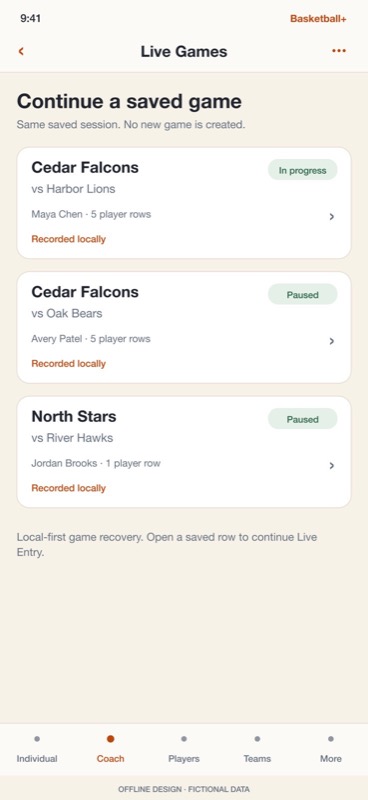
• Shortcuts offer Live Games, Resume, Tactics, Contacts and Opponents where available.
• iPad keeps details beside your list. Use Back to return on iPhone.
A MORE FOCUSED LIVE ENTRY
• Expand Actions, Fouls & game events, Review & tools and Recent actions as needed.
• Side info buttons explain controls without filling the screen with instructions.
• Undo, History and save status stay available at the bottom.
• Expand Opponent scoring for quick opponent baskets.
• Open the team journal for scoring corrections, coverage and lineups.
• Review participation and tracking coverage before finishing a game.
• Invalid tracking choices or box-score corrections stay open with an explanation, so you can fix them before saving.
A BETTER PLACE TO PLAN
• Tactics opens as a detail screen with controls above the court.
• Adjust an arrow or its endpoints directly on the diagram.
• Edits autosave as a draft, and New draft lets you keep several plays in progress.
• Use Drafts to return to a different idea without replacing the one you started.
• Save named boards separately when you want a reusable version.
• Retry a failed autosave or keep your version as a new draft when a saved copy has changed.
CLEARER POINTS AND TRACKING
• Game-list point totals no longer carry an unexplained question mark.
• Stats now includes Unverified tracking, with links to the existing player records.
• Open How to update for guidance on checking counts, participation and category coverage.
• A played game with zero points remains different from Did not play.
• Complete, Partial tracking and Not tracked help describe what was actually recorded.
• Records with statistical or history problems show separate review information.
• Finished games can be reviewed without resuming play or creating another game.
MORE ATTENTION TO YOUR SAVED WORK
• Opening a historical record keeps its original saved counts for review.
• Editing notes or game details no longer rewrites an unchanged photo.
• Player and team edits also preserve existing photos unless you choose a replacement.
• Picture loading shows progress and errors, and completion controls wait for the selected image.
• Failed player saves show an explanation, Retry and a confirmed discard option.
• Done waits for pending player changes to save successfully.
• If a game changes while you are editing, the editor asks you to review the saved version before writing over it.
TIMING, SHARING AND EVERYDAY FIXES
• Stop player timing even while another save is pending.
• Review interrupted or abandoned intervals before starting again.
• Timing recovery respects intervals that have already been reviewed.
• Team scores refresh after you finish saving journal changes.
• Contact reload waits before you make further edits.
• Contact links get an extra check when you make changes in different places.
• Prepare multiple CSV or JSON files without replacing an earlier export.
• Coach PDF tables give multiline shooting values more room.
• Switching sections in More on iPad clears the previous detail navigation.
Help now follows the compact controls and includes tracking-review steps, tactics drafts and updated illustrated instructions. Get a quick reminder during a game or your season review.
App Store Information
- App Store category: Sports
- Genres: Sports, Utilities
- Availability: Free
- Current version: 8.5
- Requires: iOS 17.6 or later
- Content rating: 4+
- Last updated: 2026-10-29
Developed by Verosocial. App details can change; verify the current App Store listing before publication.