
About this app
Thank you for using Carats. Your care with every stone, measurement, and customer deserves tools that match your attention to detail. Built for jewelers, gemstone collectors, dealers, and learners, Carats brings a gemstone weight calculator, unit converters, sales records, and charts to your iPhone and iPad.
ESTIMATE GEMSTONE WEIGHT
Get an approximate carat weight from the measurements you have.
– Enter length, width, and depth in millimeters.
– Search gemstone and cut choices.
– Use specific gravity and facet factors in your estimate.
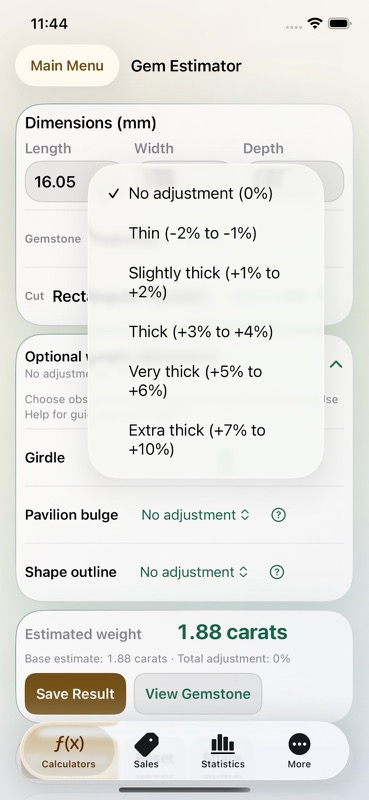
– Account for girdle thickness, pavilion bulge, and shape outline with optional adjustments.
– Read guidance before choosing an adjustment.
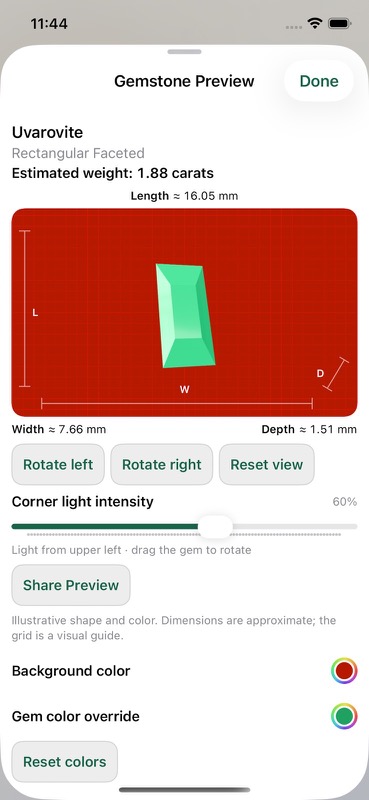
– Preview a gemstone illustration.
– Save an estimate and its preview with Carats Pro.
Estimates depend on your measurements and selected factors. Use a scale for measured weight. Carats does not identify, grade, or appraise gemstones.
CONVERT EVERYDAY MEASUREMENTS
Keep the conversions you use at the jewelry bench close at hand.
– Convert carats, grams, points, and milligrams.
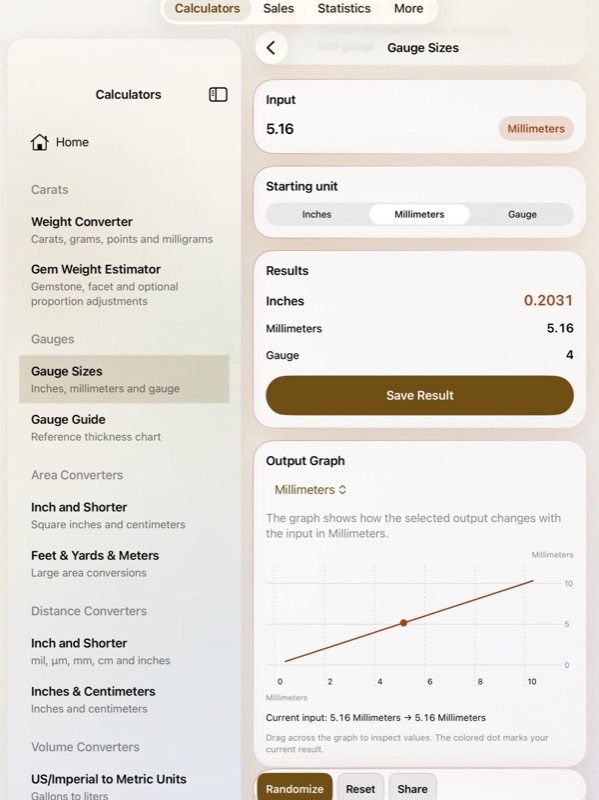
– Compare wire gauge sizes in inches and millimeters.
– Look up thicknesses in the gauge guide.
– Convert mils, micrometers, millimeters, centimeters, and inches.
– Calculate areas in square inches and square centimeters.
– Compare square feet, square yards, and square meters.
– Convert US gallons, Imperial gallons, and liters.
– Work with cubic inches, cubic centimeters, cubic feet, cubic yards, and cubic meters.
Results update as you enter values. Remembered inputs help you pick up where you left off, and example values let you explore a calculator before entering your measurements.
MANAGE GEMSTONE SALES WITH CARATS PRO
Keep the details of a sale together, from the first note to the final payment.
– Record gemstone names, carat weights, prices, currencies, and dates.
– Save an incomplete sale as a draft.
– Link a sale to a saved calculation.
– Assign a customer to a sale.
– Set a percentage or fixed commission.
– Track pending and earned commissions.
– Record partial payments and review remaining balances.
– Adjust commissions with a reason.
– Reverse a payment while retaining its history.
– Filter sales by status to find the records you need.
KEEP CUSTOMER DETAILS HANDY
– Add customers or import selected people from Contacts.
– Keep names, email addresses, phone numbers, and addresses together.
– Add customer notes for details you want to remember.
– View a customer’s associated sales.
– Open a saved address in Maps.
– Choose when to import updated contact details.
REVIEW YOUR RECORDS
– Find saved calculations and sales in Statistics.
– Review the inputs and results saved with a calculation.
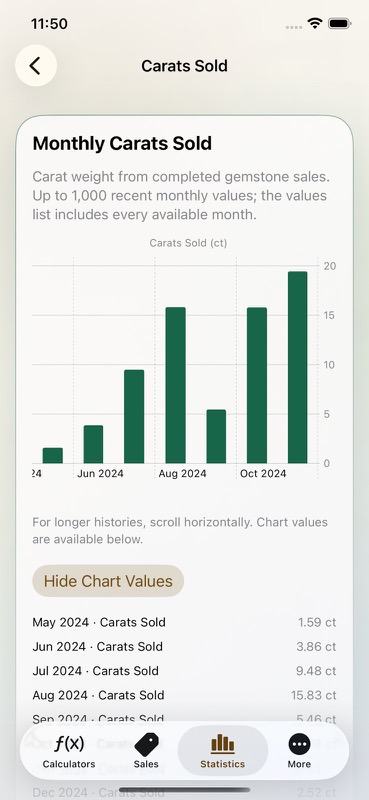
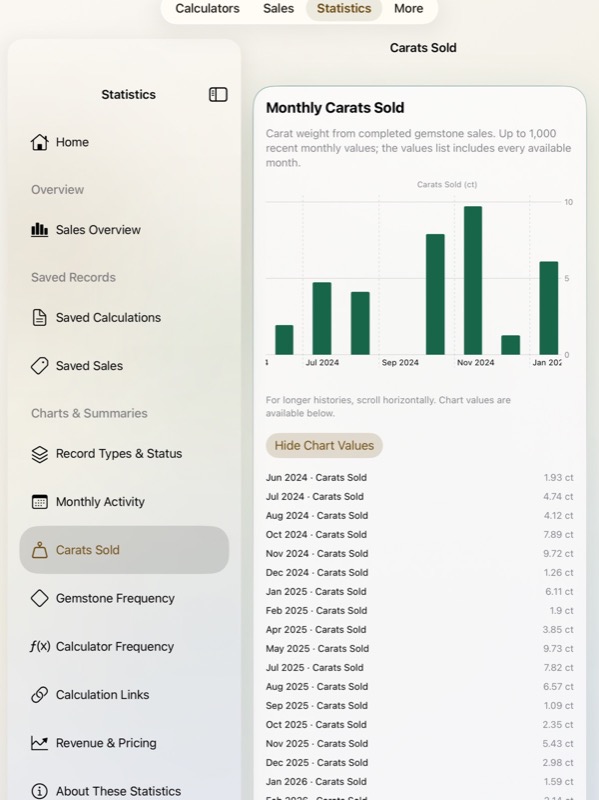
– Follow monthly activity and carats sold.
– Compare gemstone and calculator frequency.
– Explore revenue and price per carat by currency.
– View chart values as written lists.
– Compare sales activity by month, quarter, or year.
Currency totals stay separate, helping you read your records without mixing unlike amounts.
SAVE AND SHARE YOUR WORK
– Share saved results and sales.
– Export CSV files for use in a spreadsheet.
– Back up customers, calculations, sales, and related details together in JSON.
– Import compatible backups and CSV records with Carats Pro.
– Keep saved records locally on your device.
– Choose System, Light, or Dark appearance.
– Browse gemstone learning material and reference charts.
Carats Pro is required to save or edit calculation records, add or edit sales, and import records. Choose monthly access or a one-time lifetime purchase. Monthly access renews automatically until canceled. Viewing, sharing, and exporting existing records remain available without Pro.
For monthly subscriptions:
Monthly Pro is a 1-month auto-renewable subscription.
Terms of Use (EULA): https://www.apple.com/legal/internet-services/itunes/dev/stdeula/
App Store Screenshots
Latest App Store Release Notes
Your attention to detail is one of your key tools. Thank you for using Carats and making it part of your gemstone and jewelry work. This update brings more ways to describe a stone, manage a sale, and keep the customer details that matter.
MORE DETAIL IN GEM WEIGHT ESTIMATES
– Enter length, width, and depth in millimeters.
– Search for a gemstone and select its cut.
– Add optional adjustments for girdle thickness.
– Account for pavilion bulge where appropriate.
– Choose shape observations that apply to the selected cut.
– Read the guidance beside each adjustment.
– Review the total adjustment with your estimate.
– Save a gemstone preview with a calculation using Carats Pro.
The preview gives your saved result a visual reference. Weight estimates remain approximate, so use a scale when you need the stone’s measured carat weight.
CUSTOMERS CONNECTED TO YOUR SALES
– Add a customer directly in Carats.
– Import selected customer details from Contacts.
– Save an address and your customer notes.
– Choose a customer while creating or editing a sale.
– Open a customer to see associated sales.
– Open their saved address in Maps.
– Import contact updates when you choose.
– Keep your customer notes when importing updated details.
Removing a customer assignment leaves the sale in place. Your saved customer details stay under your control.
COMMISSIONS AND PAYMENT HISTORY
– Choose a percentage or fixed commission.
– Save a commission as pending or earned.
– Mark a pending commission earned when it becomes due.
– Record a full or partial payment.
– See unpaid balances and payments received this month.
– Adjust a commission and include the reason.
– Reverse a recorded payment while keeping the original entry.
– Review overpayments separately.
– Cancel a sale while keeping its activity history.
Paid and unpaid status follows the remaining commission balance. Amounts stay grouped by currency, so you can review each currency on its own.
SALES AND STATISTICS IN ONE ROUTINE
– Start from dedicated Calculators, Sales, Statistics, and More tabs.
– Browse calculator categories or search for a tool.
– Use the calculator sidebar and detail area on iPad.
– Filter saved sales by status.
– Compare sales activity by month, quarter, or year.
– Browse saved calculations from Statistics.
– Review monthly activity and completed sale weights.
– Compare gemstone and calculator frequency.
– Explore revenue and pricing charts by currency.
– Read chart values in a list.
Sales Overview includes every sale status. Revenue and weight charts use completed sales, while pending sales, canceled sales, and drafts remain visible in record counts.
BACKUPS THAT KEEP RELATED DETAILS TOGETHER
– Export a JSON backup of customers, calculations, and sales.
– Include customer assignments, notes, and addresses.
– Preserve commission settings and payment activity.
– Keep saved gemstone previews with calculation records.
– Export CSV files for a spreadsheet.
– Import compatible files with Carats Pro.
– Add new records while preserving records already saved.
Choose JSON when restoring customers and their related sales together. File and record limits are shown in Import & Export before you proceed.
CARATS PRO AND EVERYDAY TOOLS
– Choose monthly access or a one-time lifetime purchase.
– Restore eligible purchases from the Carats Pro screen.
– Manage monthly subscriptions from the app.
– Keep viewing, sharing, and exporting existing records without Pro.
– Find calculator help, gemstone references, and appearance settings in More.
Saving or editing calculations, adding or editing sales, and importing records require Carats Pro. Monthly access renews automatically until canceled.
App Store Information
- App Store category: Utilities
- Genres: Utilities, Business
- Availability: Free
- Current version: 8.2
- Requires: iOS 17.6 or later
- Content rating: 4+
- Last updated: 2026-10-07
Developed by Verosocial. App details can change; verify the current App Store listing before publication.