
About this app
Your care and curiosity make every radio project better. Thank you for using Antenna+. From your first dipole to your next Morse practice session, keep useful antenna calculators, RF tools and saved results close on iPhone, iPad and Apple Watch.
PLAN YOUR ANTENNA
– Size a 5/8 wave vertical for your operating frequency.
– Find half-wave dipole lengths and the length of each leg.
– Compare dipole and inverted vee dimensions.
– Work out ground plane radiators and radials.
– Calculate cubical quad loops, double bazooka antennas and extended Zepp dimensions.
– Convert frequency to full and fractional wavelengths.
– Choose metric or imperial length units.
– Read the formulas and assumptions in Help.
CHECK YOUR RF NUMBERS
– Convert watts, milliwatts, dBW and dBm.
– Calculate ERP and EIRP from power and antenna gain.
– Include feed line and connector loss in EIRP estimates.
– Explore VSWR, mismatch loss and reflected power.
– Estimate geometric and radio horizon distances.
– Look up sunrise, sunset, solar noon and twilight for a chosen place, date and time zone.
– Save the inputs alongside each calculated result.
PRACTICE MORSE AND TONES
– Turn text into Morse code and audible practice tones.
– Use a straight key or enter individual dots and dashes.
– Adjust Morse speed and sidetone settings.
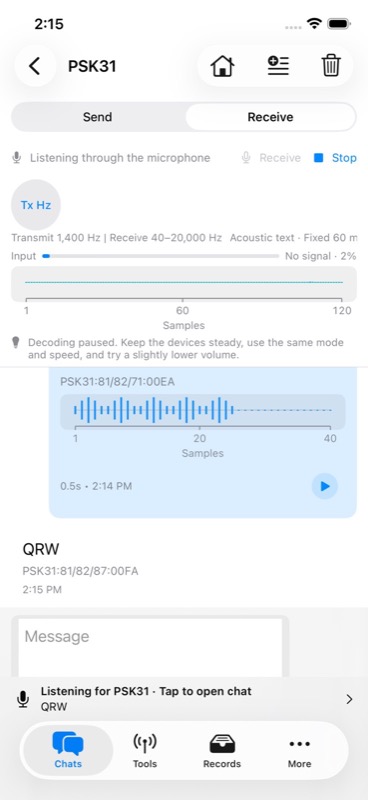
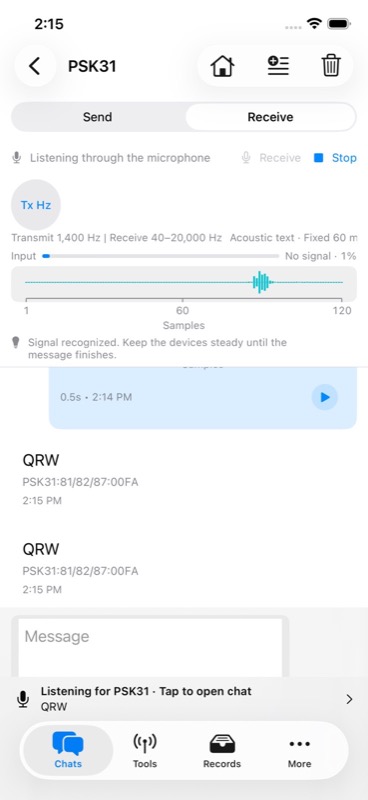
– Decode Morse and DTMF audio through the microphone.
– Microphone listening starts only when you choose Receive or Start Listening.
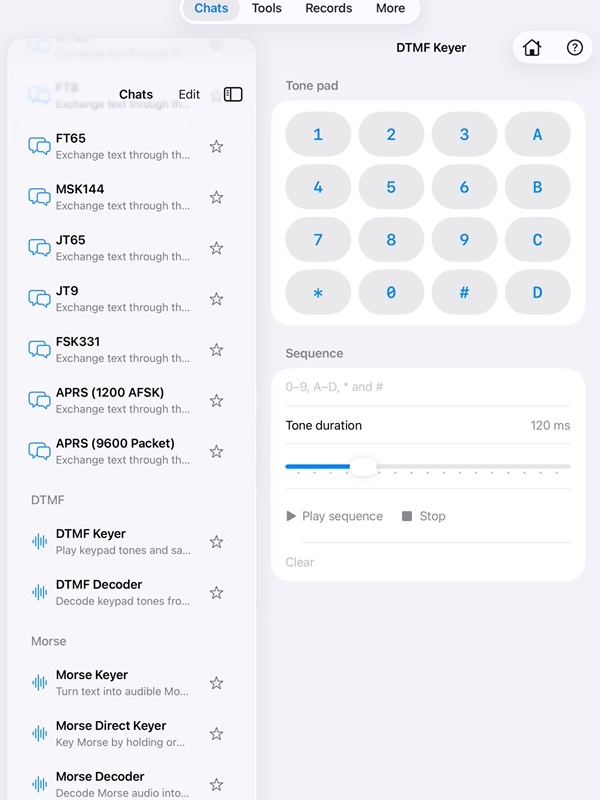
– Play standard DTMF keypad tones and sequences.
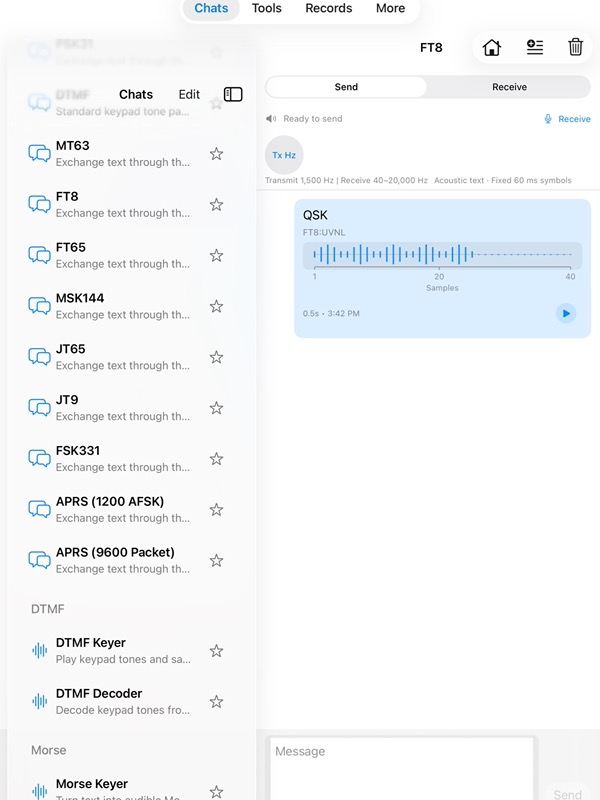
– Exchange acoustic text with nearby devices using their speakers and microphones.
– Replay the latest sent chat message from its bubble.
– Stop a transmission when you need to cancel.
– Search Q codes and add them to a message draft.
KEEP YOUR WORK ORGANIZED
– Give saved calculations and signal records a title and notes.
– Mark favorites, filter by date and search by tool or content.
– Review original inputs and results without recalculating.
– Read all your saved results without spending another use.
– Scroll through your records with automatic loading.
– Explore charts and summaries of your saved calculations.
– Back up and restore records with JSON import and export.
– Skip matching records during import.
– Export records to CSV for a spreadsheet.
– Process up to 10,000 records per transfer, with a 100 MB JSON archive limit.
TAKE IT TO APPLE WATCH
– Use all 14 calculators without a usage limit or Pro purchase.
– Calculate on your watch without the iPhone app or a phone connection.
– Keep the watch screen clear with short text labels.
– Find Save, Share and Help at the bottom of calculator pages.
– Save calculations locally on your watch and reopen them in Saved.
– Share full calculation details using the watch’s available sharing options.
– Practice Morse with Key, Dot, Dash, Play and Stop.
– Get haptic feedback and sound when audio is available.
– Keep watch records separate from the records on your phone.
FIND WHAT YOU NEED
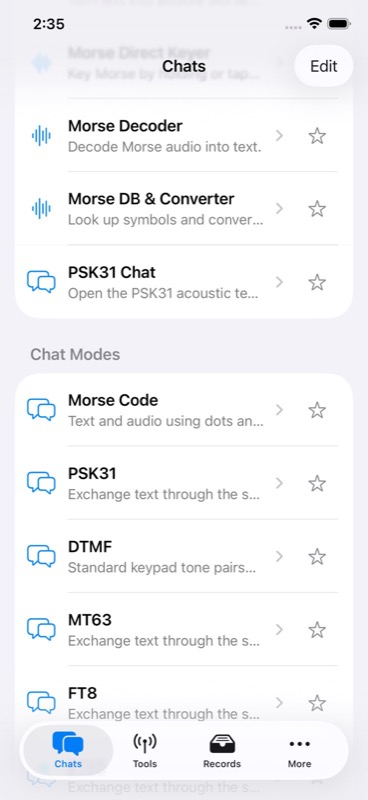
– Keep favorite chats, signal tools and calculators within easy reach.
– Use the iPad’s list and detail layout to browse while viewing a tool.
– Open ham radio and antenna references in the app’s browser.
– Bookmark useful web pages for another visit.
– Choose System, Light or Dark appearance on iPhone and iPad.
– Restore your previous Pro purchases from inside the app.
Use calculated antenna dimensions as a starting point, then tune for your installation. Acoustic chat uses sound between nearby devices.
iPhone and iPad include a one-time allowance of 50 uses per device. Continue with monthly or annual auto-renewing Pro, or a one-time Lifetime Pro purchase. Apple Watch calculators and Morse remain unlimited without Pro. Web references require an internet connection.
For monthly subscriptions:
Monthly Pro is a 1-month auto-renewable subscription.
Terms of Use (EULA): https://www.apple.com/legal/internet-services/itunes/dev/stdeula/
App Store Screenshots
Latest App Store Release Notes
You bring patience, skill and curiosity to your radio hobby. Thank you for using Antenna+ and for sharing your ideas. This update adds an independent Apple Watch app, quicker ways to repeat a message, and more control over your saved calculations.
– Meet Antenna+, the new name for the app. Your existing local app data stays in place.
– Use Antenna+ independently on Apple Watch, without the iPhone app or a connected phone.
– All 14 watch calculators have unlimited use and require no Pro purchase. Use the same antenna and RF calculations as your phone, right from your wrist.
– Work with antenna dimensions, solar times, horizon estimates, ERP and EIRP, wavelength, RF power conversions, and VSWR loss.
– Read cleaner watch screens with short text labels. Help is the final Home action, and calculator screens end with Save, Share, and Help.
– Choose units, edit values, and open results on separate watch screens. Solar calculations include date selection and searchable time zones.
– Save a calculation’s original inputs, units, and results locally on your watch. Open Saved from Home to review individual entries or delete a selected record.
– Watch records stay separate from records on your iPhone or iPad.
– Share complete calculation text through the sharing options available on your watch. Original labels and values remain in the saved and shared calculation.
– Find instructions, full result labels, and help with saving errors in Help. Accessibility descriptions retain the full labels and values.
– Key Morse on your watch by holding Key or tapping Dot and Dash. Use Next letter and Space to separate letters and words.
– Play your entered Morse again, stop the current tone or playback, or clear the code. Slower and Faster adjust the playback speed.
– Turn watch sound on or off. Haptic feedback remains available when sound is off or the watch cannot start audio.
– Find favorite chats and signal tools together at the top of your Chats list.
– Send your latest chat message again with the small play control beside it. Replay stays with the original message, so your chat stays easy to follow.
– Stop a transmission directly from the message when you need to cancel it.
– Fixed chats that could keep showing Transmitting after a send had finished or been canceled.
– DTMF, Morse, More, and related controls give button titles room to stay readable instead of squeezing into narrow columns.
– Records load additional entries automatically as you approach the end of the list. There is no Load More button to press.
– Scroll back through records as more entries appear, and open a saved calculation to review its full inputs and results.
– Search saved records by title, notes, tool, inputs, or results. Combine favorites, tool, type, and date filters with your preferred sort order.
– On iPad, browse Tools and Records beside their detail views. On iPhone, follow the same selections through individual pages, including saved inputs and results.
– Transfers run in the background with progress and a Cancel option. Import JSON, or export JSON and CSV for all records or your current selection.
– Imports skip matching records, including duplicates within the same archive. Your existing records stay intact when new records are imported.
– Canceling an import keeps records already saved. Export completion is reported after the file is saved to your chosen destination.
– Each import examines up to 10,000 records, including duplicates, and each export includes up to 10,000 records. Your stored history has no new 10,000-record cap.
– JSON archives have a 100 MB limit, with a 1 MB limit for each record. Find all transfer limits in Help before you begin.
App Store Information
- App Store category: Utilities
- Genres: Utilities, Productivity
- Availability: Free
- Current version: 9.0
- Requires: iOS 17.6 or later
- Content rating: 4+
- Last updated: 2026-10-25
Developed by Verosocial. App details can change; verify the current App Store listing before publication.